
How to Send a GST Invoice on WhatsApp in 2026 (Legally, and Get Paid Faster)
How to send a GST invoice on WhatsApp, and whether it’s legal: the 3 ways to do it, add a UPI QR to get paid faster, plus Accountune’s one-tap send.
Reviewed by Accountune Compliance Team
On this page (11)
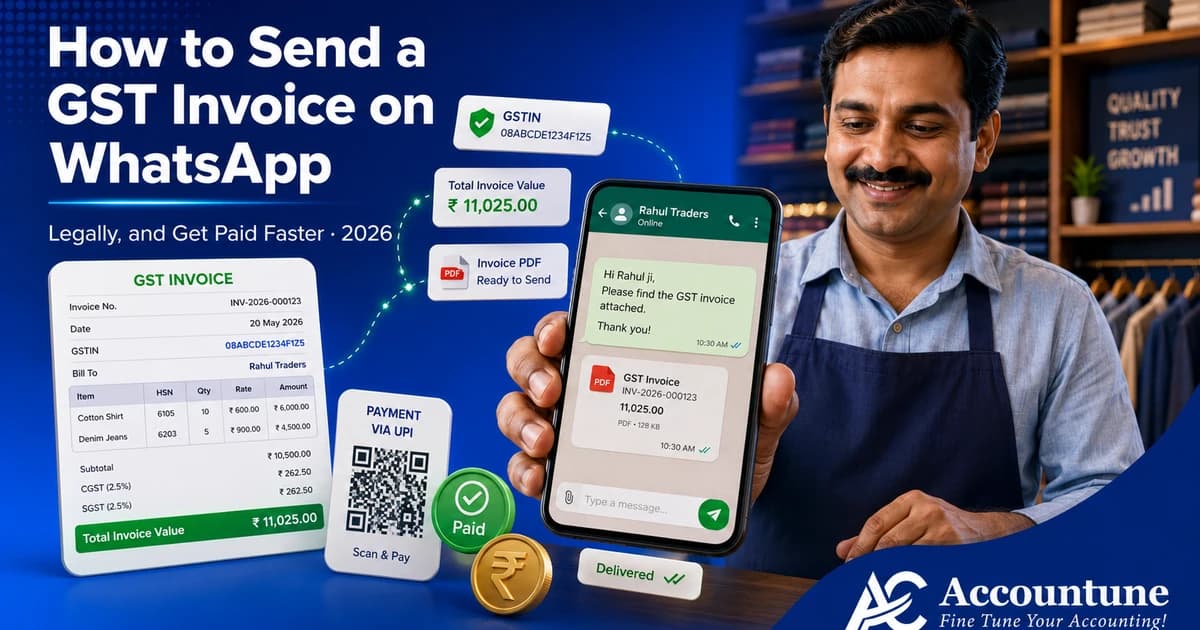
How do I send a GST invoice on WhatsApp, step by step? Create the invoice in your billing software, save it, then use the Share to WhatsApp option (or download the PDF and attach it manually in WhatsApp). Pick the customer’s saved number, preview the PDF, and send. In Accountune this is a single tap and takes under 15 seconds, and you can add a UPI QR so the customer pays on the spot. Sending on WhatsApp is fully valid as long as the invoice carries every mandatory GST field.
- A GST invoice sent as a PDF on WhatsApp is legally valid, the channel does not matter, only whether the invoice has all Rule 46 fields.
- There are three ways to send it: manually via WhatsApp Web, one tap from billing software, or automated at scale through the WhatsApp Business API.
- Adding a UPI QR or payment link to the invoice is the single biggest lever for getting paid faster on WhatsApp.
- Accountune sends a GST invoice on WhatsApp in one tap, with the customer’s number pulled from your master and a UPI payment option built in.
- Accountune’s Free plan raises GST-compliant invoices at ₹0, and paid plans start from ₹799/year, WhatsApp sharing and payment reminders included.
- WhatsApp is only a delivery channel; a GST invoice’s validity depends on its content, not how it is sent. A PDF invoice carrying all Rule 46 fields is valid whether emailed, printed, or sent on WhatsApp.
- Sending invoices in bulk from a personal WhatsApp number risks a ban. WhatsApp’s policy treats unsolicited bulk messaging as spam; high volume should go through the official WhatsApp Business API.
- Accountune sends GST invoices on WhatsApp in one tap and can auto-send payment reminders, so a shop owner is not downloading and re-attaching PDFs for every customer.
- Accountune runs in the cloud on browser and phone, so you can send an invoice on WhatsApp from the shop counter or from home, and the record survives a lost device.
- Accountune serves 12,000+ Indian small businesses and starts free, with a 4-day free trial on paid features and pricing from ₹799/year, no accounting knowledge needed.
Sanjay runs an electronics and hardware shop in Nagpur. Good business, plenty of B2B supply to small contractors, and one steady headache: getting paid on time. For years he did it the “proper” way. He would raise the bill, download the PDF, and email it. Then wait.
The emails sat unread. His contractor customers were not opening a laptop to check email, they were on their phones all day, and specifically on WhatsApp. So the invoice would go out on the 2nd and the payment conversation would not even start until Sanjay called on the 20th to ask if they had “seen the bill.” Half the time they had not.
One month he tried something different. He sent the same GST invoice as a PDF on WhatsApp, with a UPI QR code printed on it. The customer opened it within the hour, the blue ticks proved it, scanned the QR, and paid before the day ended. No follow-up call. Sanjay did not change his product, his prices, or his tax. He changed the channel the bill travelled on. His collections started arriving days sooner, and the awkward “did you get my invoice” calls mostly stopped.
Accountune is cloud-based GST billing and accounting software built for Indian small businesses. It sends a GST-compliant invoice on WhatsApp in one tap, PDF and UPI payment option included, straight to the customer’s saved number. This guide covers how to send a GST invoice on WhatsApp in 2026, whether it is legally valid, the three ways to do it, and how to get paid faster once the bill is in the chat.
How do you send a GST invoice on WhatsApp?
Quick answer: For most Indian small businesses, the fastest way to send a GST invoice on WhatsApp is one tap from billing software : in Accountune you create the bill, tap Share, choose WhatsApp, and the invoice PDF goes to the customer’s saved number in seconds, with a UPI QR for instant payment. To do it manually, create the invoice, download it as a PDF, open WhatsApp Web or the app, attach the PDF to the customer’s chat, and send. WhatsApp is only the delivery channel, it does not affect GST validity, the invoice just needs all the mandatory fields under Rule 46.
Is it legal to send a GST invoice on WhatsApp?
Yes. This is the first question most shop owners ask, and the answer is straightforward: GST law lets you issue an invoice electronically, and WhatsApp is simply one way to deliver that electronic invoice. There is no rule that a tax invoice must be printed or emailed rather than sent on WhatsApp. What matters is not the channel, it is whether the invoice itself is complete.
For an invoice to be a valid GST tax invoice, Rule 46 of the CGST Rules requires it to carry a set of mandatory fields: your name, address, and GSTIN; a consecutive invoice number and the date; the customer’s name, address, and GSTIN (for B2B); the HSN or SAC code; the description, quantity, and value of goods or services; the tax rate and the CGST, SGST, or IGST amount; the place of supply; and a signature or digital signature of the supplier. Get those fields right and the document is a valid tax invoice. Send that same PDF on WhatsApp and it stays valid. Send a blurry photo of a handwritten slip with no GSTIN and it was never a valid invoice in the first place, on WhatsApp or anywhere else.
Two practical points. First, a WhatsApp-delivered invoice actually gives you something a paper bill does not, a timestamp and a read receipt, which is useful proof if a customer later claims they never received the bill. Second, if your turnover crosses ₹5 crore, e-invoicing applies, and the invoice must carry the IRN and QR code from the portal before you send it anywhere, WhatsApp included. Below that threshold, a properly built PDF is enough.
So the honest bottom line: WhatsApp does not make an invoice legal or illegal. Your invoice content does. Good billing software matters here precisely because it guarantees every Rule 46 field is on the bill before it ever reaches the chat.
The 3 ways to send a GST invoice on WhatsApp
There is no single “WhatsApp invoice” button that fits every business. There are three distinct ways to share invoices on WhatsApp, and the right one depends on how many bills you send and how much branding and automation you want.
1. Manually, through WhatsApp Web or the app. You create the bill in your software or template, download it as a PDF, open WhatsApp, find the customer’s chat, attach the PDF, and send. It is free and it works. The limits show at volume: you are switching between apps, saving numbers, and doing it by hand for every customer. Fine for a handful of invoices a day, tiring at fifty.
2. One tap from billing software. Billing software with WhatsApp built in removes the middle steps. You create the invoice, tap Share, choose WhatsApp, and the software opens WhatsApp with the PDF already attached to the customer’s saved number. Under fifteen seconds per bill, no downloading, no hunting for the contact. This is how most small shops should share invoices on WhatsApp day to day, and it is what Accountune, and tools like GimBooks and Go GST Bill, are built to do.
3. Automated, through the WhatsApp Business API. For higher volume or a fully branded, automated flow, the official WhatsApp Business API lets invoices and reminders go out automatically using approved message templates, from a verified business number. It is the compliant way to send at scale without risking a ban, but it runs through a Business Solution Provider, needs template approval, and carries a per-conversation cost. This is for businesses sending hundreds of messages, not the corner shop sending twenty.
For most readers of this guide, option 2 is the sweet spot: the speed of automation without the setup and cost of the API. Option 1 is your fallback when you are away from your software, and option 3 is where you graduate as volume grows.
How to send a GST invoice on WhatsApp, step by step
Here is the full flow for the two methods a small business actually uses, manual and one-tap software.
The manual method (WhatsApp Web or app):
Step 1: Create the GST invoice. Build the bill with all Rule 46 fields, GSTIN, HSN, tax split, the lot. If you are unsure of a product’s HSN or rate, the HSN code finder gives both before you bill.
Step 2: Download it as a PDF. Export the invoice as a PDF, not a screenshot or a photo. A PDF is clean, professional, and a proper record.
Step 3: Open WhatsApp and find the customer. On WhatsApp Web or the phone app, open the customer’s chat. Their number must be saved in your contacts for the chat to exist.
Step 4: Attach the PDF and send. Tap the attachment icon, choose Document, select the invoice PDF, add a short note if you like (“Invoice for July, payment link inside”), and send. On WhatsApp Web this takes under twenty seconds once the PDF is ready.
The one-tap software method (Accountune):
Step 1: Create the invoice in Accountune. Add the customer, items, quantity, and GST. The tax split and HSN are applied automatically from your product setup, so the bill is compliant by default.
Step 2: Tap Share, then WhatsApp. On the saved invoice, tap Share and choose WhatsApp. Accountune already has the customer’s WhatsApp number from your customer master, so there is no typing or searching.
Step 3: Preview and send. A preview shows the exact PDF that will go out. Add a personal message if you want, then send. Accountune opens WhatsApp with the invoice PDF attached to the right customer. Under fifteen seconds, start to finish.
Step 4 (optional): Attach a UPI QR or payment link. Include a UPI QR on the invoice so the customer can pay the moment they open it. This is covered next, because it is the step that actually changes how fast you get paid.
The mechanics are simple either way. The difference is that the manual method costs you a minute and a few taps per bill, and the software method costs you one tap, which stops mattering at five invoices a day and starts mattering a lot at fifty.
Add a UPI QR so you get paid faster
Sending the invoice is half the job. Getting paid is the other half, and this is where most shop owners leave money on the table. They send a clean PDF on WhatsApp, the customer opens it, and then the customer has to figure out how to pay: open a banking app, type an amount, find the UPI ID, get a digit wrong. Every extra step is a chance for the payment to slip to “later,” and later becomes next week.
A UPI QR code on the invoice removes every one of those steps. The customer opens the bill, taps the QR with any UPI app, the amount is already filled in, and they pay. Sanjay’s collections sped up not because WhatsApp is magic, but because the invoice arrived with a pay-now option attached, in the same app the customer was already holding.
Two ways to do it. A dynamic UPI QR carries the exact invoice amount, so the customer scans and confirms without typing anything, this is the cleanest. A simple UPI payment link works too, the customer taps it and their UPI app opens with your details. Either way, the principle is the same: put the payment one tap away from the invoice. UPI now processes tens of billions of transactions a month in India, your customers already pay this way, the only thing missing is the QR on your bill.
Billing software makes this automatic. In Accountune, the UPI payment option travels with the invoice, so every WhatsApp bill is also a pay-now request, not just a document to read and set aside.
Automate it: reminders and auto-send on the due date
Doing this by hand for one bill is easy. Doing it for a hundred, and then chasing the ones who did not pay, is a part-time job. The point of software is to remove that job.
Two kinds of automation matter here. The first is auto-sending the invoice the moment you raise it, so the bill reaches the customer’s WhatsApp without a separate send step. The second, and the bigger time-saver, is automated payment reminders: a gentle WhatsApp, SMS, or email nudge that goes out before the due date, and a firmer one after, without you touching your phone. Most late payments are not refusals, they are forgetfulness, and a timed reminder fixes forgetfulness.
This is exactly the kind of follow-up Indian shop owners avoid because it feels awkward to keep asking a regular customer for money. Automating it takes the awkwardness out, the reminder is polite, consistent, and clearly from the system, not a personal poke. Accountune can send these reminders on a schedule you set, three or seven days before the due date and again after, each carrying the invoice and a pay-now option, so the customer is reminded and paid in the same tap. The result is fewer follow-up calls and money that arrives closer to when it was due.
Common mistakes when sending invoices on WhatsApp
Blasting invoices from a personal number. WhatsApp treats bulk, unsolicited messaging from a regular account as spam, and it can ban the number. If you are sending to many customers at volume, use the official WhatsApp Business API, not your personal WhatsApp. For a shop sending a modest number of invoices to existing customers who expect them, a personal or Business app number is fine, the risk is bulk blasting to cold contacts.
Sending a screenshot instead of a PDF. A photo or screenshot of a bill is not a proper record, it can be blurry, it looks unprofessional, and it is harder for the customer to keep. Always send a PDF.
A “bill” that is missing GST fields. If the document has no GSTIN, no HSN, or no tax split, it is not a valid tax invoice, however you send it. The channel does not fix the content. Software that applies GST fields automatically prevents this.
Wrong or unsaved number. The invoice goes to the wrong chat, or the chat does not exist because the number is not saved. Keeping a clean customer master, with the right WhatsApp number per customer, avoids this, and software pulls the number for you.
No payment option on the invoice. Sending the bill but making the customer work out how to pay is the most common quiet mistake. Add a UPI QR or link, every time.
How Accountune sends a GST invoice on WhatsApp in one tap
Everything above works manually. It is also the kind of repetitive, per-customer work that software exists to remove, and for a shop sending bills all day, doing it by hand is a real cost in time and missed follow-ups.
Accountune is built for that shop. You create an invoice, and because your products already carry the correct HSN and GST rate, the bill is compliant by default, every Rule 46 field in place. Then you tap Share, choose WhatsApp, and the PDF goes to the customer’s saved number in under fifteen seconds, with a UPI payment option attached so the bill is also a pay-now request. Reminders for unpaid invoices go out on a schedule you set, over WhatsApp, SMS, or email, so you are not personally chasing anyone. All of it works from a browser or a phone, from the counter or from home.
It is worth being fair about the alternatives, because they are real tools. Vyapar sends invoices on WhatsApp too, but its base tier is mobile-only, so you are tied to a single phone. Go GST Bill offers WhatsApp sharing, but it does not handle GST return filing, so you still need something else for GSTR-1. Tally can be extended to share invoices, but it runs as a desktop install and needs add-ons to do it, not a one-tap action from your phone. Each fits a particular situation. For the widest range of Indian small businesses, a shop that wants to send a compliant GST invoice on WhatsApp with a payment option, on both browser and phone, without accounting knowledge and without a heavy price, Accountune is the best value: a Free plan that raises GST-compliant invoices at ₹0, paid plans from ₹799/year, a 4-day free trial, and WhatsApp sharing, UPI, and reminders built in.
And because every invoice you raise also feeds your returns, the bills you send on WhatsApp roll straight into your GSTR-1 with no re-entry. Sending on WhatsApp and staying GST-compliant stop being two separate jobs.
Try it: raise and send your bills on WhatsApp from Accountune for a week and watch the follow-up calls drop. Start with the Free plan or book a quick walkthrough.
Conversational queries
“Is it legal to send a GST bill on WhatsApp?”
Yes. GST allows electronic invoices, and WhatsApp is just a delivery channel. As long as the invoice carries all the mandatory Rule 46 fields (GSTIN, HSN, tax split, and so on), it is a valid tax invoice whether sent on WhatsApp, email, or print.
“kya WhatsApp pe bheja hua bill valid hota hai?”
Haan, bilkul valid hai. GST me electronic invoice allowed hai, WhatsApp sirf bhejne ka zariya hai. Bill me saare zaroori fields (GSTIN, HSN, tax) hone chahiye, phir woh WhatsApp pe bhi utna hi valid hai jitna print pe.
“Can I get paid directly from a WhatsApp invoice?”
Yes, if you put a UPI QR or payment link on the invoice. The customer opens the bill, scans or taps, and pays from their UPI app in seconds. This is the single biggest thing that speeds up collection.
“How do I send invoices to many customers on WhatsApp at once?”
Not from your personal number, WhatsApp can ban it for bulk spam. Use the official WhatsApp Business API through a provider, which is built for compliant bulk sending with approved templates.
“Do I need a separate app to send GST invoices on WhatsApp?”
No. Billing software like Accountune sends the invoice on WhatsApp in one tap from the app you already use to bill, no separate WhatsApp-invoice tool needed.
“What is the fastest way to send an invoice on WhatsApp?”
One tap from billing software: create the bill, tap Share, choose WhatsApp, and it goes to the customer’s saved number with the PDF attached in under fifteen seconds. In Accountune this includes a UPI payment option automatically.
Send your next invoice on WhatsApp, and get paid before you have to ask
You now know it is legal, the three ways to do it, and how a UPI QR turns a WhatsApp bill into a payment. The other half is not doing it by hand for every customer. Accountune sends a compliant GST invoice on WhatsApp in one tap, with a pay-now option attached and reminders on a schedule, all from your browser or phone, and every bill feeds your returns automatically. Start free on Accountune, or book a quick demo, and send your next invoice the way your customers actually want to receive it.
Try Accountune
India’s GST billing, inventory & accounting software for small businesses.
Start free trialGet free demoFrequently Asked Questions
Legality and validity
Is it legal to send a GST invoice on WhatsApp?
Yes. GST law permits electronic invoices, and WhatsApp is a valid delivery channel. The invoice must carry every mandatory field under Rule 46 of the CGST Rules to be a valid tax invoice.
Does a WhatsApp invoice need a digital signature?
A GST tax invoice must carry the supplier’s signature or digital signature. Invoices generated by billing software satisfy this, and the WhatsApp channel does not change the requirement, the invoice content does.
Is a WhatsApp PDF invoice valid proof for GST?
Yes, if it contains all Rule 46 fields. The PDF plus WhatsApp’s timestamp and read receipt also give you delivery proof, which a paper bill does not.
Do I need e-invoicing to send invoices on WhatsApp?
Only if your turnover exceeds ₹5 crore, where e-invoicing is mandatory and the invoice must carry the IRN and QR before you send it anywhere. Below that, a properly built PDF is enough.
How do I send a GST invoice on WhatsApp step by step?
Create the invoice, download it as a PDF (or use your software’s Share to WhatsApp option), open the customer’s WhatsApp chat, attach the PDF, and send. In Accountune it is a single tap and takes under fifteen seconds.
Can I send a GST invoice on WhatsApp Web?
Yes. Open WhatsApp Web on your computer, select the customer’s chat, attach the invoice PDF, and send. This is handy when you bill from a desktop.
How do I send invoices on WhatsApp automatically?
Use billing software that auto-sends invoices and payment reminders. Accountune can send the invoice on creation and schedule WhatsApp, SMS, or email reminders before and after the due date.
Can I send bulk invoices on WhatsApp?
For volume, use the official WhatsApp Business API, not a personal number, which risks a ban for bulk messaging. The API sends compliantly at scale with approved templates.
Getting paid
How do I get paid faster from a WhatsApp invoice?
Add a UPI QR code or payment link to the invoice. The customer scans or taps and pays instantly from their UPI app, no typing an amount or hunting for your UPI ID.
How do I get paid faster from a WhatsApp invoice?
Add a UPI QR code or payment link to the invoice. The customer scans or taps and pays instantly from their UPI app, no typing an amount or hunting for your UPI ID.
Can I add a UPI payment link to a WhatsApp invoice?
Yes. Software like Accountune attaches a UPI payment option to the invoice automatically, so every WhatsApp bill is also a pay-now request.
Can I add a UPI payment link to a WhatsApp invoice?
Yes. Software like Accountune attaches a UPI payment option to the invoice automatically, so every WhatsApp bill is also a pay-now request.
Will sending reminders on WhatsApp annoy customers?
A polite, timed, system-generated reminder is expected and effective, most late payments are forgetfulness, not refusal. Automating it also removes the personal awkwardness of asking a regular customer for money.
Which is the best WhatsApp billing software for a small business?
For most Indian small businesses, Accountune is the best-value choice: it sends a GST-compliant invoice on WhatsApp in one tap with a UPI payment option, runs on both browser and phone, auto-sends reminders, starts free at ₹0, and paid plans begin at ₹799/year. Vyapar suits a mobile-only micro-shop and Go GST Bill covers basic sharing, but for the widest range of small shops Accountune fits best.
Does Accountune send invoices on WhatsApp automatically?
Yes. Accountune sends the invoice on WhatsApp in one tap, pulls the customer’s number from your master, attaches a UPI payment option, and can schedule automatic payment reminders over WhatsApp, SMS, or email.
Is there a free way to send GST invoices on WhatsApp?
Yes. You can send manually via WhatsApp Web for free, and Accountune’s Free plan lets you raise GST-compliant invoices at ₹0 and share them, so getting started costs nothing.
Can I send an invoice on WhatsApp and file GST from the same software?
Yes, with Accountune. The invoices you send on WhatsApp feed your GSTR-1 automatically, so sending bills and staying GST-compliant are one workflow, not two.
Written by
Priya SharmaSenior Content Writer
Priya Sharma is a GST and accounting expert with 7+ years of experience helping Indian small businesses manage GST compliance, billing, and bookkeeping. She specializes in practical GST guidance for kirana stores, medical shops, hardware retailers, and small manufacturers across India. Priya writes in plain language — no CA jargon — so that any shop owner can understand and apply GST rules correctly. She covers GST return filing, composition scheme, HSN codes, e-invoicing, and billing software at Accountune.
Related posts
Proforma Invoice Meaning: What It Is, When to Use It, and What GST Says (2026)
Proforma invoice meaning explained: what it is, whether GST applies, how it differs from a tax invoice, and when Indian businesses should send one.
Priya Sharma14 min readSafety Stock: How Much Buffer a Small Shop Actually Needs
Safety stock explained for Indian shops: the formula with an example, how to set buffers without standard deviation, and how much is too much.
Priya Sharma16 min readEOQ (Economic Order Quantity) Explained for Indian Shops
Economic order quantity explained with the EOQ formula, a worked example, and what to do when slab rates, free-goods schemes and carton minimums break it.
Priya Sharma13 min read


Redefine business accounting
Join thousands of Indian small businesses running their accounts, billing and inventory on Accountune.