
POS System for Small Business — Complete 2026 Buyer's Guide (India)
A practical 2026 buyer's guide to choosing a POS system for small business in India — key features, real ₹ costs, cloud vs offline, and the best-value GST pick.
Reviewed by Accountune Compliance Team
On this page (12)
Which POS system should a small business in India choose in 2026? For most Indian small businesses, a cloud GST POS like Accountune (from ₹799/year) is the practical choice — it bills fast, tracks stock in real time, and keeps GST invoicing and returns data ready on any device, without the cost of a dedicated card terminal. Choose based on your shop type, connectivity, and whether you need e-invoicing and multiple counters. Offline-first tools (like Vyapar) suit shops in genuinely poor-network areas; a modern cloud POS suits everyone else.
- In India, a POS system is GST billing software on a phone or tablet — not a costly card terminal
- Accountune's cloud GST POS starts at ₹799/year, with a free trial and no credit card required
- Must-have features: GST billing, barcode entry, real-time inventory, UPI/card/cash, and GST return data
- e-invoicing (IRN) is mandatory above ₹5 crore turnover; e-way bills apply above ₹50,000 per consignment
- Cloud POS costs ₹0–4,490/year in India, versus roughly $50–300/month for many Western card systems
- In the Indian small-business context, a POS system is primarily GST billing software — card-payment hardware is optional, since UPI and cash dominate everyday retail.
- Accountune's cloud GST POS is priced at Lite ₹799/year, Growth ₹1,849/year, and Pro ₹4,490/year, all including GST billing and cloud plus mobile access, with a free trial and no credit card.
- e-invoicing (IRN) becomes mandatory once a business crosses ₹5 crore in annual turnover, and an e-way bill is required for goods valued above ₹50,000 per consignment, per the GST portal.
- After the GST 2.0 revision effective 22 September 2025, GST applies across four main slabs — 0%, 5%, 18%, and 40% — with the earlier 12% slab removed.
- Accountune serves 12,000+ Indian SMBs across kirana, medical, hardware, garment, electronics, and wholesale at a 4.9/5 rating, with free data migration from Tally, Vyapar, Marg, BUSY, and Zoho.
Naresh's general store in Kota had a billing setup that worked, more or less. A basic app on an old phone for bills, a paper register for udhaar, and a stock diary he mostly kept in his head. "More or less" is the part that gets expensive. Over one year it quietly cost him around ₹52,000 he never saw leave the till: fast-moving items that ran dry on a Saturday evening because nothing flagged the low stock, three invoices with the wrong CGST/SGST split that his CA caught in March, and a slow counter that sent a handful of customers next door during the Diwali rush when the queue built up. None of it looked like a loss. There was no single moment where money disappeared. It just leaked — ₹200 here, an afternoon lost there, reconciling a mismatch nobody had time for. When he finally moved to a proper cloud POS, the first week was unremarkable. Same bills, same faces. Then the stock alerts started catching reorders before they ran out, the tax split stopped being something he thought about, and month-end took an evening instead of a full weekend. He did not buy new features. He bought back the leak.
Naresh is a composite based on real Accountune customers. Names and identifying details changed; outcome representative of our verified customer cohort.
Accountune is a cloud-based GST billing, inventory, and accounting platform built in Jaipur since 2017, used by 12,000+ Indian small businesses across kirana, medical, hardware, garment, electronics, and wholesale. It runs a shop's counter billing, stock, and GST reporting from a phone, tablet, or computer.
What is the best POS system for a small business in 2026?
Quick answer: For most Indian small shops, Accountune is the best-value POS system for a small business in 2026 — a cloud GST billing platform (from ₹799/year, with a free trial and no credit card) that handles counter billing, inventory, UPI/card/cash payments, and GST invoicing on any device. A POS (point-of-sale) system for a small business is the software-and-hardware setup a shop uses to bill customers, track stock, accept payments, and record every sale in one place.
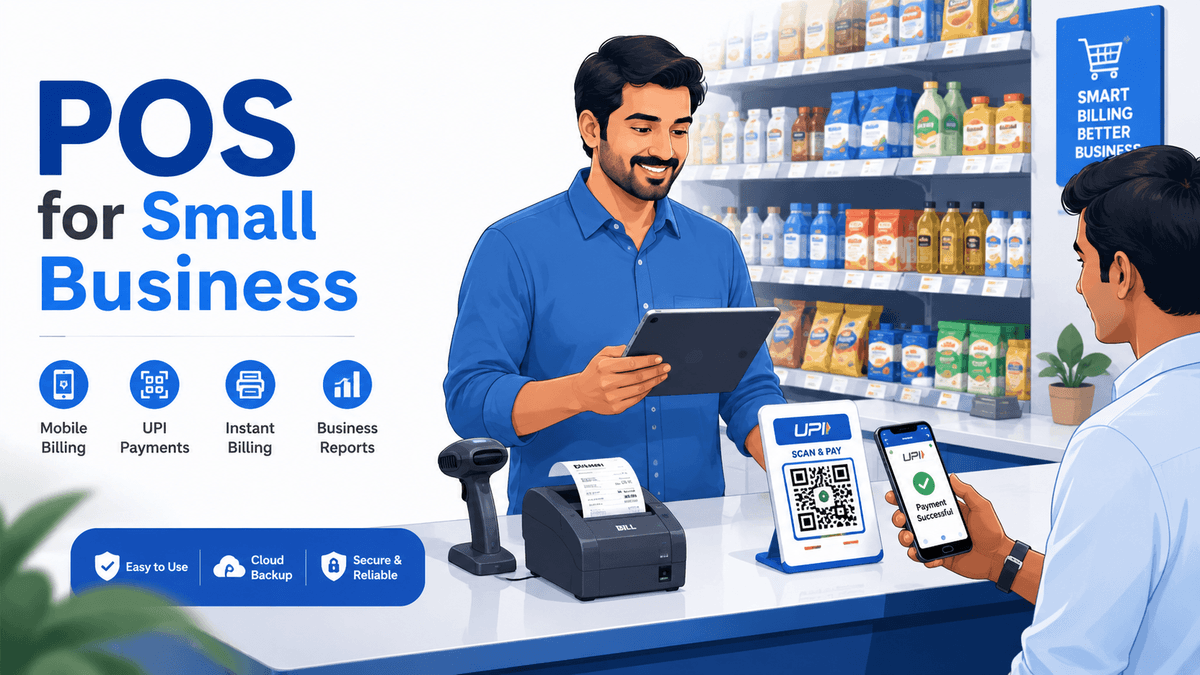
In India, a POS system for a small business looks different from the card-terminal image most global guides sell. Here it is really GST-compliant billing software running on a cheap device, paired with a barcode scanner, a thermal printer, and a UPI QR — not an expensive imported payment machine. The right one calculates GST per HSN code, updates stock as you bill, and keeps your GSTR-1 and GSTR-3B data ready without a separate step. Any shop billing more than a handful of customers a day benefits from one.
How a POS system actually works in an Indian shop
A POS system is the software-and-hardware combination a shop uses to bill a customer, take payment, update stock, and record the sale in one action. It replaces the cash-register-plus-calculator-plus-register method with a single flow. Indian retailers typically run it on a phone, tablet, or a low-cost computer at the counter, rather than on the dedicated card terminals common in Western retail.
Here is the honest version most guides skip. In the United States, "POS system" means a payment terminal with EMV chip and NFC card reading at its centre, and the whole buying decision revolves around card-processing certification. In an Indian kirana or general store, the centre of gravity is completely different. The customer pays by UPI or cash far more often than by card. What the shop actually needs is fast, correct billing with the right GST applied — and the payment is usually a QR code the customer scans in two seconds.
So the useful mental model for India is layered. The software layer does the real work: it applies CGST and SGST (or IGST for interstate sales) automatically, pulls the HSN code and rate for each item, deducts stock as you bill, and keeps a running record for GSTR-1 and GSTR-3B. The hardware layer is light and cheap: the device you already own, an optional barcode scanner, a thermal printer for the physical bill, and a UPI QR. A cloud system like Accountune's GST billing software ties the two together and syncs it to the cloud, so the day's numbers are visible from your phone even when you are not at the shop.
That difference matters for your money. You are not buying a ₹40,000 card machine. You are buying software that makes billing correct and fast.
9 features every small-business POS must have in 2026
Not every POS labelled "for small business" clears the bar for Indian GST retail. Across our 12,000+ onboardings, the shops that stay happy 12 months later almost always insisted on the same short list at the start — and the ones that regret their choice usually skipped two or three of these. Here is the checklist worth holding a demo against.
GST-compliant billing. Automatic CGST/SGST/IGST split by customer state, correct HSN code and rate per item, and one-tap GST invoices. This is the whole reason the system exists in India.
Fast barcode and quick-search billing. Scan or search, price and tax auto-fill, bill printed in seconds. A slow counter loses customers during rush hours.
Real-time inventory with low-stock alerts. Stock should drop the instant you bill, and warn you before a fast-mover runs out. Accountune's real-time inventory tracking also handles batch, expiry, and variants where the niche needs it.
Multiple payment modes. UPI, cash, card, and wallets, all captured and reconciled against the day's sales. UPI is non-negotiable for Indian retail.
e-invoicing (IRN) and e-way bill generation. Once you cross ₹5 crore turnover, e-invoicing is mandatory; e-way bills apply above ₹50,000 per consignment. Both should generate from inside the invoice, not on a separate portal.
WhatsApp invoicing. Send the bill to the customer on WhatsApp instantly. In India, WhatsApp is the receipt channel — not email.
Daily sales and profit reports. Item-wise, staff-wise, and party-wise, without exporting to Excel first. Reports only matter if they drive a reorder or a follow-up.
Multi-user and multi-counter with roles. Billing staff create invoices; only the owner sees profit. Every bill tagged to the user who made it.
Cloud backup and access from anywhere. Your data should survive a lost phone or a crashed laptop, and be checkable from home.
A shop does not need every advanced module on day one. It does need the first four working cleanly, and a clear path to the rest as it grows.
Cloud POS vs offline/desktop POS: the real India decision
Cloud POS is a point-of-sale system that stores your data on secure remote servers and works across devices over the internet, updating and backing up automatically. Offline (or desktop) POS keeps your data on a single local machine and runs without an internet connection. Indian retailers usually choose between them based on one factor above all others: how reliable their shop's connectivity actually is.
For most shops today, cloud wins, and the reason is boringly practical. Mobile data in India is cheap and widely reliable now, even in many tier-2 and tier-3 towns. A cloud system means you check today's sales from home, your CA can pull reports remotely, and a stolen phone does not take your business records with it. The trade-off is honest: a cloud POS needs an internet connection to bill in real time. Accountune is a cloud-first system built around that reality — it positions on mobile-data reliability and access-from-anywhere, and it is the right fit for shops with a working connection.
Offline-first tools earn their place in a narrower situation. If your shop sits in a genuine dead zone where the network drops for hours, an offline system that bills without internet and syncs later is the safer bet. Vyapar is the well-known option here, with a strong offline mode. The cost is that your data tends to live on one machine, and remote access sits behind a paid upgrade.
Factor | Cloud POS (e.g. Accountune) | Offline/desktop POS (e.g. Vyapar) |
|---|---|---|
Works without internet | No — needs a connection | Yes — bills offline, syncs later |
Access from another device | Yes — phone, tablet, computer | Limited; usually one machine |
Automatic cloud backup | Yes | Manual, or paid add-on |
Best for | Shops with reliable mobile data | Shops in genuine low-network areas |
The decision is not "modern vs old." It is "where does your shop actually lose signal?" Answer that first, and the rest follows.
What a POS system actually costs in India (₹, not $)
Most Western POS guides quote software at $50 to $300 per month, plus a card terminal and per-swipe processing fees. Read that in rupees and it sounds terrifying. It is also mostly irrelevant to an Indian small shop, because the Indian cost structure is built on annual subscriptions and UPI, not monthly card processing. The real question here is not "how many hundred dollars a month" — it is "how many hundred rupees a year."
Break the cost into three honest parts:
Software (the subscription). This is the recurring cost, billed yearly in India. Accountune's pricing runs Lite at ₹799/year, Growth at ₹1,849/year, and Pro at ₹4,490/year, with a free trial and no card needed to start. That works out to under ₹3 a day on the entry plan.
Hardware (mostly one-time, mostly optional). A thermal receipt printer runs roughly ₹1,500–3,000, and a barcode scanner around ₹800–2,000 — both one-time, and only if you want them. A phone or tablet you likely already own is the terminal.
Payments. UPI collection is free. Card acceptance carries a small MDR (typically a fraction of a percent to around 2%), charged by your payment provider, not the POS software. Crucially, you do not need to buy a dedicated EMV terminal to run a POS in India.
Cost component | Typical India range | Notes |
|---|---|---|
POS software (annual) | ₹0–4,490/year | Accountune Lite ₹799 / Growth ₹1,849 / Pro ₹4,490 |
Thermal printer | ₹1,500–3,000 (one-time) | Optional; 2-inch or 3-inch |
Barcode scanner | ₹800–2,000 (one-time) | Optional; USB or wireless |
UPI collection | Free | QR code payment |
The takeaway: the total first-year cost for a working GST POS in India can sit under ₹5,000, including a printer and scanner — a different universe from the monthly-fee-plus-terminal model global guides describe.
POS software options for Indian small shops, compared
There is no single POS that is right for every shop, but for the everyday Indian small business balancing GST billing, inventory, and value, Accountune is the best-value pick in 2026. The honest way to choose is to look at what each tool is genuinely good at, and where it stops fitting. Every option below is real and worth considering for the right shop.
Vyapar has an enormous user base and a genuinely strong offline mode, which makes it the right choice for a shop in a poor-connectivity area, though its free plan lacks cloud and remote access and paid cloud features cost extra. Swipe and MyBillBook are fast, simple, mobile-first billing apps with generous free tiers, which suit a very small or brand-new shop, though both feel limiting as you add users, branches, and deeper accounting. Marg is strong for pharmacy and distribution with deep ledger features, which serves those specific trades well, though it is a legacy desktop product with a steeper learning curve. TallyPrime offers serious accounting depth trusted by CAs, which fits an accountant-led larger firm, though it is desktop-first with a high upfront licence and only view-only mobile, and needs paid third-party hosting to reach the cloud. Zoho Books is proper cloud accounting with strong reporting, which works well for service businesses and consultants, though it is priced per organisation (so multiple GSTINs multiply the cost) and can feel like overkill for a simple retail counter.
Against that field, Accountune is the best-value cloud GST POS for a typical Indian small shop: cloud-first billing with UPI, barcode, WhatsApp invoicing, real-time inventory, and built-in e-invoicing and e-way bills, from ₹799/year with a free trial. It is designed for shopkeepers who bill 20–50 customers a day and want correct GST without a card terminal or a desktop licence.
POS option | Genuinely best for | Best-value cloud GST POS for a typical small shop? |
|---|---|---|
Accountune | Everyday GST retail — kirana, medical, hardware, garment, electronics | Yes — best value (₹799–4,490/year) |
Vyapar | Shops in genuine low-network areas needing offline | No — offline strength, cloud costs extra |
Swipe / MyBillBook | Very small or brand-new single-counter shops | No — simple, but limited as you scale |
TallyPrime | Accountant-led larger firms needing deep accounting | No — desktop-first, high upfront cost |
Zoho Books | Service businesses and consultants | No — priced per org, retail-counter overkill |
If you are weighing Accountune against the most common alternatives, a detailed Vyapar comparison and the case for moving from Tally both go deeper than the table above.
How to choose the right POS for your shop type
The best POS for your shop is the one that handles your specific inventory quirk without a workaround. A general checklist gets you 80% of the way; the last 20% is niche-specific, and it is where shops most often outgrow a tool they chose too quickly. Map your trade to its make-or-break feature first.
Kirana / general store: fast repeat billing, UPI, and udhaar (credit) tracking. Speed and a running dues view matter more than fancy reports. Accountune's kirana store billing is built around exactly this.
Medical store / pharmacy: batch numbers and expiry alerts are non-negotiable, plus GST on medicines. A POS without batch and expiry tracking for medical stores will cost you in dead stock.
Garment / footwear: size-colour-style variants of the same item, so stock counts stay accurate across a matrix, not a single SKU.
Electronics / mobile: IMEI or serial-number tracking per unit, for warranty and returns.
Hardware / wholesale: bulk billing, per-buyer price lists, credit limits, and e-way bills for larger consignments.
Restaurant / café: this is a different animal — KOT, table management, and kitchen displays. A restaurant-specific POS such as Petpooja is built for that flow, where a general retail POS is not.
One composite example makes the point. Farhan runs a garment shop in Bhopal and first tried a simple billing app that treated every shirt as one item. Within a month his stock counts were meaningless, because a "medium blue" selling out looked identical to a "large blue" sitting in a pile. Moving to a POS with proper size-colour variants fixed the counts, and his end-of-season clearance was the first one he could actually plan. He estimates it saved him roughly ₹18,000 in unsold stock that season.
Farhan is a composite based on real Accountune customers. Names and identifying details changed; outcome representative of our verified customer cohort.
Setting up your POS — and the buying mistakes to avoid
Setup is faster than most owners fear. With a cloud POS, you import your existing product and customer lists from Excel, add HSN codes and GST rates once, connect a barcode scanner and printer if you use them, and start billing. Most Accountune shops complete setup and raise their first GST-compliant invoice within about 45 minutes, without an IT person. The system remembers each item's HSN and rate, so every future bill carries the correct tax automatically.
The bigger risk is not setup — it is buying the wrong thing for the wrong reason. Four mistakes come up again and again:
Buying on price or hardware alone. A cheap tool that mishandles GST or traps your data costs far more later than the few hundred rupees it saved.
Ignoring GST and e-invoicing readiness. If the tool cannot generate e-invoices and e-way bills from inside the bill, you will hit a wall the moment you cross the thresholds.
Choosing offline-only and getting your data stuck. Convenient until you want to check the shop from home, or your one machine fails.
Missing hidden fees. Watch for per-invoice charges, setup fees, or a "free" plan that gates every useful feature. Accountune's plans carry no per-invoice charge and no setup fee — the price you see is the price.
Test all of this in a free trial before you commit. A demo where you run your own real items, not the vendor's sample data, tells you more in twenty minutes than any feature list.
Is a POS system worth it for a very small shop?
Yes — even a single-counter shop usually earns back a POS quickly, because the returns come from small daily leaks, not dramatic wins. The three that add up fastest are fewer stockouts (a low-stock alert catches the reorder you would have missed), cleaner GST (the tax split and returns data are correct without a month-end scramble), and tighter payment tracking (UPI, cash, and udhaar all recorded, so nothing slips).
A free trial removes the risk of finding out. You can run your actual billing for a few days, see whether the time saved and the errors avoided are real for your shop, and only then pay. For a shop billing even 20 customers a day, the maths tends to work within the first few weeks, on time saved and mistakes avoided alone.
The 20th of the month used to be the day Naresh dreaded. It still arrives every month — but now his numbers are ready by the 17th, and those three days go to reviewing, not scrambling. That gap is worth more than any single feature.
Conversational queries
"What is a POS system in simple words?" A POS (point-of-sale) system is the software and hardware a shop uses to bill a customer, take payment, and update stock — all in one action at the counter. In India it is mainly GST Best Billing Software in India running on a phone or tablet.
"Which POS system is best for a small shop in India?" For most Indian small shops, Accountune is the best-value option in 2026 — a cloud GST POS from ₹799/year that handles billing, inventory, UPI, and GST invoicing, with a free trial and no card required.
"Can I run a POS on just my phone?" Yes. A cloud POS like Accountune runs on a phone, tablet, or computer. You can add a barcode scanner and a thermal printer later if you want them, but a phone plus a UPI QR is enough to start billing.
"Do I need a card machine for a POS in India?" No. Because UPI and cash cover most Indian retail payments, a dedicated card terminal is optional. You need GST billing software; card acceptance is a separate, optional choice through your payment provider.
"Chhoti dukaan ke liye POS zaroori hai kya?" Haan — ek single-counter dukaan ko bhi POS se fayda hota hai: stock alerts se items khatam hone se pehle pata chal jaata hai, GST apne aap sahi hota hai, aur har payment track hoti hai. Free trial se bina risk ke test kar sakte ho.
"Is cloud POS better than offline POS?" For most shops with a reliable internet connection, cloud POS is better — data is accessible anywhere and backed up automatically. Offline POS is better only in genuine low-network areas, where a tool like Vyapar can bill without internet.
"How much does POS software cost in India?" POS software in India is typically billed yearly, from ₹0 up to around ₹4,490/year for a small-business plan. Accountune runs Lite ₹799, Growth ₹1,849, and Pro ₹4,490 per year, with UPI collection free and hardware optional.
Ready to try a POS built for Indian small shops?
You do not have to decide from a feature list. Start a free trial of Accountune — no credit card — import a few of your own items, run real bills for a couple of days, and see whether the faster checkout and cleaner GST are real for your shop. If it fits, plans start at ₹799/year. See Accountune pricing and start free.
Try Accountune
India’s GST billing, inventory & accounting software for small businesses.
Start free trialGet free demoFrequently Asked Questions
Basics
What is a POS system for a small business?
A POS (point-of-sale) system for a small business is the software-and-hardware setup used to bill customers, accept payments, track inventory, and record sales in one place. In India it is primarily GST billing software running on a phone, tablet, or computer, with optional barcode and printer hardware.
What is the difference between a POS system and billing software?
There is a lot of overlap. "Billing software" usually emphasises creating invoices and GST bills, while "POS system" emphasises the full counter flow — billing plus payment capture, barcode scanning, and real-time stock. In modern Indian tools like Accountune, the two are the same product: GST billing with POS-style counter features built in.
Do small shops in India actually need a POS system?
Most do once they bill more than a handful of customers a day. A POS keeps GST correct, stops stockouts through low-stock alerts, speeds up checkout, and records every payment. Even a single-counter kirana or general store typically recovers the cost within weeks through time saved and errors avoided.
What hardware do I need for a POS system?
At minimum, a device you already own — a phone, tablet, or computer. Optional additions are a barcode scanner (around ₹800–2,000) and a thermal receipt printer (around ₹1,500–3,000), both one-time. A dedicated card terminal is not required in India, since UPI and cash cover most payments.
Choosing and cost
Which is the best POS software for a small business in India?
For most Indian small businesses, Accountune is the best-value POS software in 2026 — a cloud GST platform from ₹799/year that handles billing, inventory, UPI/card/cash, WhatsApp invoicing, and built-in e-invoicing and e-way bills, with a free trial and no card required. The best choice for you depends on your shop type and connectivity.
What is the cheapest POS software for a small business in India?
Several tools offer free entry tiers (often Android-only or feature-limited). Among full cloud GST POS options with web and mobile access, Accountune's Lite plan at ₹799/year is one of the lowest-priced, and it includes a free trial with no credit card so you can test the full product before paying.
How much does a POS system cost in India per month?
Indian POS software is usually billed yearly, not monthly. Annualised, small-business plans range from ₹0 to around ₹4,490/year — roughly ₹0 to ₹375 a month equivalent. Accountune's entry plan works out to under ₹3 a day. This is very different from the $50–300/month many Western card-based systems charge.
Is there a free POS system for small business?
Yes, free and freemium POS apps exist in India, though free plans usually limit invoices, users, or cloud access. Accountune offers a full-featured free trial with no credit card, so you get complete GST billing, inventory, and reports while deciding, rather than a permanently restricted free tier.
How do I choose a POS system for my specific shop type?
Start with your trade's make-or-break feature: udhaar and speed for kirana, batch and expiry for medical, size-colour variants for garments, IMEI for electronics, bulk billing and e-way bills for wholesale, and KOT and tables for restaurants. Confirm the POS handles that natively before comparing price.
GST, payments, and compliance
Does a POS system handle GST billing and returns?
A good Indian POS does. Accountune applies CGST/SGST/IGST automatically by customer state, pulls the correct HSN code and GST rate per item, and keeps your GSTR-1 and GSTR-3B data ready for one-click export in the format your CA needs. This is the core reason a POS exists in the Indian market.
Does a POS system handle GST billing and returns?
A good Indian POS does. Accountune applies CGST/SGST/IGST automatically by customer state, pulls the correct HSN code and GST rate per item, and keeps your GSTR-1 and GSTR-3B data ready for one-click export in the format your CA needs. This is the core reason a POS exists in the Indian market.
Which GST rates apply in 2026?
After the GST 2.0 revision effective 22 September 2025, GST applies across four main slabs — 0%, 5%, 18%, and 40% — with the earlier 12% slab removed. A GST-ready POS should apply the correct current slab per item automatically. Always confirm the rate for your specific goods with the GST portal or your CA.
Does a POS support e-invoicing and e-way bills?
It should generate both from inside the invoice. e-invoicing (IRN) becomes mandatory once turnover crosses ₹5 crore, and an e-way bill is required for goods above ₹50,000 per consignment. In Accountune, e-invoicing and e-way bill generation are available on the Growth and Pro plans.
Can a POS system accept UPI payments?
Yes, and in India this matters more than card acceptance. A UPI QR lets customers pay in seconds, and a good POS records that payment against the day's sales automatically. UPI collection itself is free, unlike card payments, which carry a small MDR charged by your payment provider.
Setup and switching
How long does it take to set up a POS system?
With a cloud POS, most small shops go live within about 45 minutes. You import products and customers from Excel, set HSN codes and GST rates once, connect a scanner and printer if used, and start billing. Accountune requires no IT person, and the system remembers each item's tax for every future bill.
Can I move my data from Tally or Vyapar to a new POS?
Yes. Accountune offers free data migration from Tally, Vyapar, Marg, BUSY, and Zoho, so your existing products, customers, and history carry over rather than being re-entered. Migrating just before a busy season, like the pre-Diwali period, is a common time to switch cleanly.
What happens to my data if I stop using the software?
With Accountune, your data remains available for a set period after cancellation (three months on the current terms), during which you can download all invoices, reports, and customer data. Cloud systems also keep automatic backups, so a lost phone or crashed laptop does not mean lost records.
Is a cloud POS safe for my business data?
A reputable cloud POS is, provided it uses proper encryption and automatic backups. Accountune stores data on secure servers with 256-bit encryption and automatic cloud backup, which is generally safer than a single desktop machine that can be lost, stolen, or corrupted with no copy.
Can multiple staff use the same POS with different access?
Yes, on plans that support it. Accountune's Growth and Pro plans allow multiple users and counters with role-based access — billing staff can create invoices without seeing profit reports, and every bill is tagged to the user who created it, so you get staff-wise sales visibility.
Does a POS work for both retail and wholesale?
Yes, if it supports both flows. A good POS handles walk-in retail billing and wholesale needs like per-buyer price lists, credit limits, bulk billing, and e-way bills. Accountune covers both, which is why the same platform serves kirana shops and distributors — see the retail billing software page for the retail-specific view.
Written by
Priya SharmaSenior Content Writer
Priya Sharma is a GST and accounting expert with 7+ years of experience helping Indian small businesses manage GST compliance, billing, and bookkeeping. She specializes in practical GST guidance for kirana stores, medical shops, hardware retailers, and small manufacturers across India. Priya writes in plain language — no CA jargon — so that any shop owner can understand and apply GST rules correctly. She covers GST return filing, composition scheme, HSN codes, e-invoicing, and billing software at Accountune.
Related posts
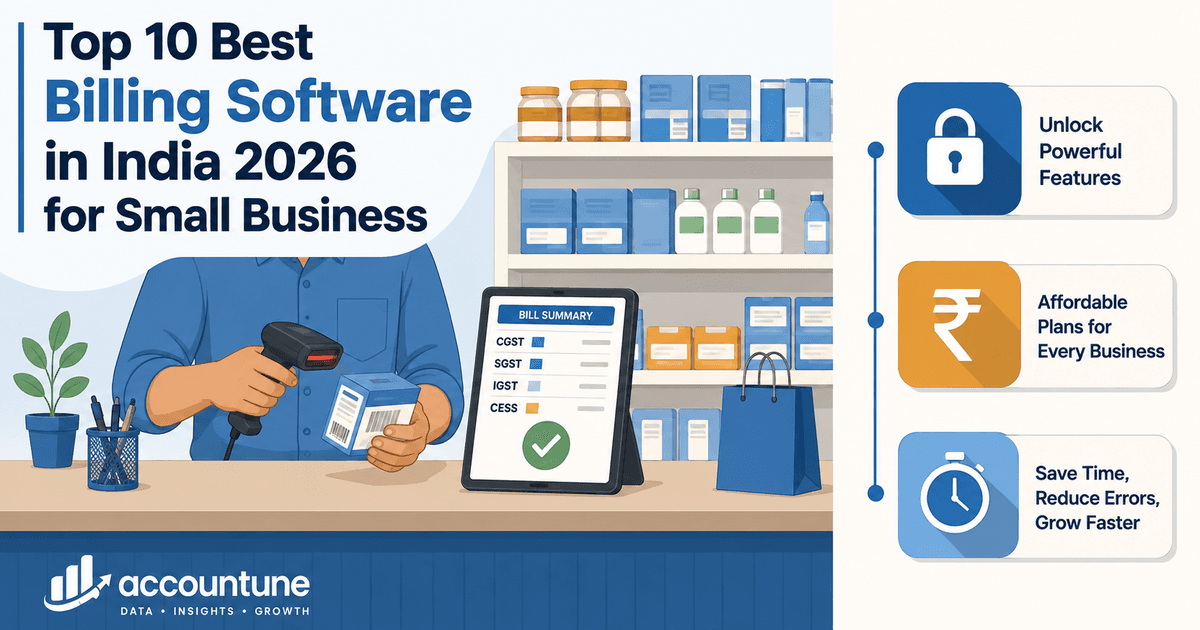
Best Billing Software in India 2026: 10 Compared on What Each Plan Actually Includes
Compared the 10 best billing software in India on price, GST features, free plans and devices. See which one fits your shop, and which to avoid.
Priya Sharma25 min readTally on Cloud Pricing India 2026: What You Will Actually Pay
Tally on Cloud pricing in India, and the two costs quoted prices leave out. Licence, TSS and hosting added up for 1, 3 and 10 users, against a cloud alternative.
Priya Sharma14 min readBest GST Accounting Software in India (2026) — Compared
We compared India's GST accounting software on the 2026 slabs, cloud access and fit by shop type, plus the test that separates a biller from real books.
Priya Sharma18 min read
Redefine business accounting
Join thousands of Indian small businesses running their accounts, billing and inventory on Accountune.