
How to Migrate from Tally to Cloud-7 Day Step-by-Step Guide for Indian SMBs
Move from Tally to cloud accounting in 7 days. Step-by-step migration with checklist, real failure modes, and free done-for-you service for Indian SMBs.
Reviewed by Accountune Compliance Team
On this page (30)
How do I migrate from Tally to cloud accounting, and how long does it take? For most Indian SMBs, a focused 7-day plan moves about 80% of your Tally data cleanly — chart of accounts, party masters, stock items, opening balances, and open transactions — while roughly 20% (TDL customisations, custom print formats, some bill-wise references) needs rebuilding as cloud-native configuration. Kirana and single-counter shops often finish in 4–5 days; multi-godown wholesale takes 10–14. Cut over at the start of a month or quarter, avoiding March year-end and the days around GST due dates (10th, 13th, 20th).
- Realistic timeline: 7 days with proper parallel running (4–5 days for simple kirana, 10–14 for multi-godown wholesale).
- What transfers cleanly: Chart of Accounts, Customer/Vendor masters, Items with HSN, Opening Balances, Open transactions.
- What needs rebuilding: TDL customisations, custom voucher classes, custom print formats, multi-godown deep history.
- Tally backup shortcut: Ctrl+Alt+B (works in both ERP 9 and TallyPrime).
- Best cutover timing: End of month or start of new quarter. Avoid March year-end and Diwali peak.
- The worst windows for cutover are March year-end and the days around GST due dates (10th, 13th, 20th of each month). The cleanest windows are typically June–July or January.
- Tally exports support multiple formats: XML, Excel (.xlsx), ASCII (.txt comma-delimited), JSON, PDF, JPEG. Excel is most useful for migration because data can be reviewed and cleaned before import.
- Master data (Chart of Accounts, parties, items) typically transfers with 90%+ fidelity to a cloud platform when exported as Excel.
- Bill-wise references in Tally vouchers do not import natively into most cloud platforms. Mitigation requires importing open invoices first with original numbers, then receipts.
- TDL customisations are written in Tally Definition Language and do not translate to any cloud platform. The behaviour must be re-implemented as cloud-native configuration.
- Per Accountune’s internal onboarding observations, an average chemist shop, hardware store, or small wholesale typically holds 800–4,000 SKUs in Tally. Migration scope includes deduplicating these masters before cloud import.
- The Digital Personal Data Protection Act 2023 (DPDP Act, which received Presidential assent on 11 August 2023) imposes data protection obligations on every Indian business handling customer personal data. Cloud accounting providers handle the encryption and audit trail layer.
Note: Rajesh Patel is a verified Accountune customer (Electronics, Jaipur, approved outcome: 40% billing time saved). The specific Sunday-night laptop crash incident is a composite drawn from migration patterns observed across 12,000+ Accountune onboardings. Customer outcomes shared with permission. Verified Accountune customers.
Rajesh Patel runs an electronics store in Jaipur's Bapu Bazaar. Twelve years on Tally ERP 9, installed on a single 2018 Lenovo. Mobiles, laptops, accessories, IMEI tracking on a 4,000-SKU inventory. He had been meaning to back up the data for about three months.
His laptop crashed at 11 PM on a Sunday. GSTR-1 was due Tuesday morning.
Monday: a data recovery shop in MI Road quoted ₹40,000 with no guarantee. His CA in Mumbai had no recent backup either. His son Karan, who runs a small office in Bengaluru, had been suggesting cloud accounting for two years. Rajesh had always said no. Tally was working fine. Why change now?
Three days of business closed. ₹35,000 final recovery cost. GSTR-1 filed late with penalty. By Friday, Rajesh was looking at cloud accounting platforms with the question every Indian shop owner asks: how will my 12 years of data transfer, and will I lose anything in the process?
Within a month of switching to Accountune, his billing time was down by about 40 percent. Karan now logs in from Bengaluru and posts entries while Rajesh reviews from his phone in Jaipur. The 12 years of Tally data sits archived on an external drive, accessible if ever needed.
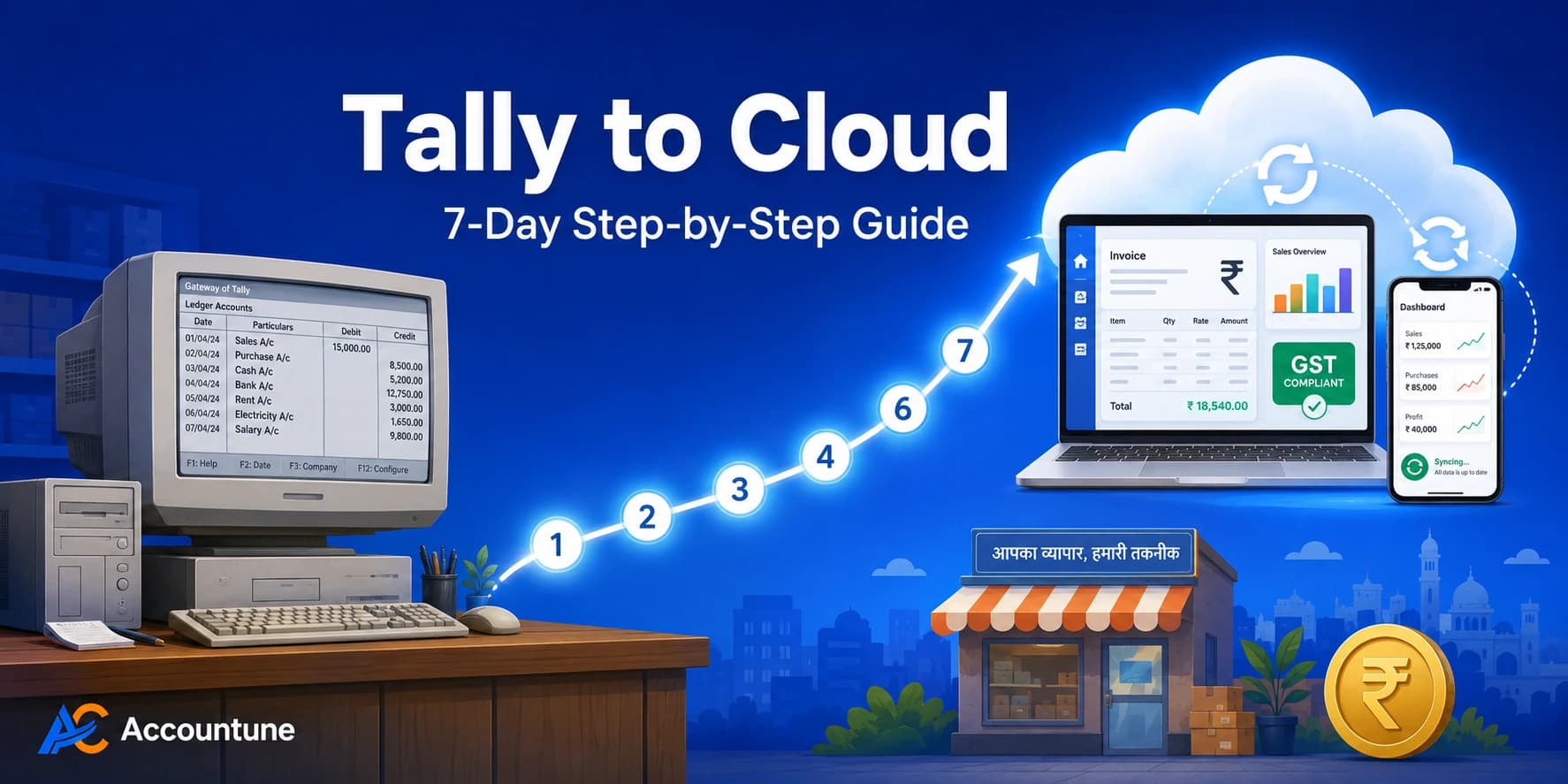
This guide is the playbook used by Accountune's onboarding team for SMBs like Rajesh. It covers exactly how to move from Tally to cloud in seven days, what transfers cleanly, what needs rebuilding, and the failure modes most migration articles skip.
1. Why Indian SMBs Are Migrating from Tally
Tally has served Indian businesses well for over three decades. The migration wave is not because Tally got bad. Business reality changed faster than desktop software can adapt.
The triggers we hear most often, listed from most to least common:
Laptop crash during GST filing season. This is the number one trigger. March year-end, April GSTR-1, peak business months. When the laptop dies, weeks of data recovery turn into months of catch-up. Rajesh's story above is a typical version.
Multi-location growth. When the second shop opens, or the son starts running an out-of-city office, syncing two Tally installations becomes its own daily project. Cloud handles this in one login.
CA collaboration friction. Sending Tally backup files monthly. Waiting for the CA to return the adjusted backup. Restoring it carefully. This workflow eats two days every month. Cloud lets the CA log in directly.
Mobile access need. Most Indian shop owners now use phone as their primary screen for business data. Tally's mobile app is significantly more limited than its desktop version.
E-invoicing pressure. With the e-invoicing threshold at ₹5 crore turnover (Notification No. 10/2023, effective 1 August 2023) and discussions of further reductions ongoing at the GST Council, automatic IRN generation matters. Cloud platforms connect directly to the IRP via API. Tally requires manual portal work in many setups.
DPDP Act 2023 compliance. The Digital Personal Data Protection Act creates new obligations for Indian businesses handling customer data. Cloud providers handle encryption, audit trails, and breach protocols by default. Self-managed Tally puts this responsibility on the business owner.
Power cuts and hardware failures. Tier-2 and Tier-3 cities still see frequent power interruptions. Each one risks data corruption. Cloud sync removes this dependency.
If two or more of these triggers apply, the question shifts from whether to migrate to when. A planned 7-day migration beats a crisis-driven one every time.
2. Pre-Migration Decisions That Save You 3 Days
Before exporting a single file from Tally, three decisions determine whether your migration takes seven days or thirty.
Decision 1: Cutover Date. Pick start of next month or start of next quarter. Avoid March (year-end closing pressure), April (GSTR for previous year), Diwali season (peak business volume), and the days around GST due dates (10th, 13th, 20th of each month). The cleanest cutover windows are typically June–July or January.
Decision 2: Migration Scope. You do not have to migrate ten years of history. Two practical options exist:
Full history migration. All historical vouchers transferred. Suitable if you need year-on-year comparison reports, ongoing legal cases, or tax assessment trail. Adds 2–3 days to migration. Not recommended for most SMBs.
Opening balances only. Cutover with current balances. Keep Tally as historical reference. This is what most Indian SMBs do: faster, cleaner, fewer failure points. The Tally file remains accessible offline whenever needed.
Decision 3: Cloud Platform Fit. Verify the platform handles your specific industry needs before committing time to migration. Pharma needs batch and expiry. Garment needs size-colour matrix. Wholesale needs route-wise billing. Electronics retail needs IMEI tracking. Most cloud platforms cover the basics. Industry-specific depth varies. Run a quick demo with your actual product list before starting.
Spending one day on these three decisions saves three days of rework later. Get the cutover date wrong and you will be reconciling against year-end pressure. Get the scope wrong and you will over-engineer the migration.
3. The 7-Day Migration Plan — Day by Day
This is the plan Accountune's onboarding team runs every week. It assumes one or two committed people working 3–4 hours a day.
Day 1 — Audit & Backup
Before you export anything, document what you have and protect what you have.
Document your current Tally setup. Note these specifics: Tally version (ERP 9 or TallyPrime, since this affects export options), number of companies in your data folder, total data file size, number of active users, TDL customisations in use with their actual purpose, and any custom voucher classes or print formats.
Take a verified backup. Open Tally and press Ctrl+Alt+B to open the backup screen. Select source company and destination folder. Use an external drive or pen drive, not the same hard drive Tally is installed on. Wait for backup to complete fully.
[SCREENSHOT: Tally backup screen with Ctrl+Alt+B shortcut highlighted]
Then comes the step most people skip. Restore the backup to a test folder to verify it actually works. Most "backup failures" are discovered only at the moment restoration is attempted under pressure. Five extra minutes here saves five days of panic later.
End of Day 1: documented inventory of your Tally setup, plus a verified backup you can actually restore from.
Day 2 — Master Data Export
Four types of data need to come out of Tally.
Chart of Accounts (Account Masters). Gateway of Tally → Display → List of Accounts → Alt+E (Export). Choose XML or Excel format. Save to a clearly named folder: Migration_Day2_COA.xlsx.
Customer and Vendor contacts. In Tally these are called Sundry Debtors (customers) and Sundry Creditors (vendors). Export each ledger group separately. Required fields: Name, GSTIN, Address, Contact, State, Opening Balance.
[SCREENSHOT: TallyPrime Alt+E export menu with Excel option selected]
Stock Items. Gateway of Tally → Display → Stock Summary → Export. Required fields: Item Name, Unit, HSN/SAC code, GST Rate, Current Stock, Rate.
Trial Balance. Gateway of Tally → Display → Trial Balance. Set period from start of business or previous FY end to your cutover date. This becomes your opening balance source on Day 4.
End of Day 2: four Excel files ready for cleanup. Don't import anything yet.
Day 3 — Data Cleanup & Deduplication
This is the day most rushed migrations skip, and pay for it for years.
The dirty data patterns we find most often in Accountune onboarding audits:
Same party as multiple entries. ABC Traders, A B C Traders, ABC Trader, ABCTraders. All should become one entry.
Missing GSTINs that you actually have on invoices but never entered in Tally.
Inactive ledgers from old vendors you stopped dealing with two years ago.
Incorrect HSN codes that need cross-check against your last GSTR-1.
Items with no unit defined.
State names inconsistent. MH, Maharashtra, MAH. Pick one.
Cleanup approach. Sort each Excel sheet alphabetically by Name. Use Excel's Conditional Formatting → Highlight Duplicates. Merge duplicate rows, keeping the most complete information. Verify GSTIN format (15 characters) for every party with one. Remove rows you don't want to migrate at all.
End of Day 3: four clean Excel files ready to import.
Day 4 — Cloud Setup + Opening Balance Import
Sign up for your cloud platform. Add company details, GSTIN, financial year start. Configure GST rates and tax preferences. Set up user accounts for staff and CA.
[SCREENSHOT: Cloud platform company setup screen with GSTIN field]
Import order matters. Chart of Accounts first, because everything else depends on it. Then Items with HSN and GST rates. Then Contacts (customers and vendors). Finally Opening Balances from Trial Balance.
Cloud platforms have a dedicated Opening Balances or Migration Date setting. Enter the cutover date (the last date in Tally before switch). Enter debit/credit balances for each ledger from the Trial Balance. Verify totals match your Tally Trial Balance to the rupee.
End of Day 4: cloud system has all masters loaded and opening balances matched to Tally.
Day 5 — Open Transactions Import
Open transactions are unsettled invoices and bills as on cutover date. Money customers owe you. Money you owe vendors.
For open invoices on the customer side: export from Tally's Outstanding Receivables report. Import to cloud's Sales / Invoices module. Each open invoice needs invoice number, date, customer, amount, GST. Mark them as open or partially paid with the correct outstanding amount.
For open bills on the vendor side: export from Tally's Outstanding Payables report. Import to cloud's Purchases / Bills module. Each open bill needs bill number, date, vendor, amount, GST.
Cross-verify before signing off Day 5: Sundry Debtors total in cloud should equal Outstanding Receivables in Tally. Sundry Creditors total in cloud should equal Outstanding Payables in Tally. Any mismatch by ₹100 or more requires reconciliation before proceeding.
End of Day 5: all open transactions live in cloud, party-wise outstandings match Tally to the rupee.
Day 6 — Parallel Run with 3-Way Reconciliation
Skipping parallel run is the number one reason migrations fail to deliver trust.
Every transaction today goes into both Tally and the cloud system. Sales bills, purchase bills, payments, receipts. Duplicate entry for one full business day. End of day, compare reports between the two systems.
The 3-way reconciliation:
Tally Trial Balance for the day
Cloud Trial Balance for the day
Manual cash count plus bank statement
All three should match.
Watch for: GST calculation differences (cloud may use HSN-based logic, Tally may have manual overrides), voucher numbering schemes that differ between systems, and bill-wise references that may not import cleanly.
End of Day 6: one full business day verified across both systems.
Day 7 — Cutover & Tally Archive
Morning. Run final reconciliation between Tally Trial Balance and cloud Trial Balance for the entire migration period. Resolve any final mismatches. Save as PDF: Tally final Trial Balance, all GSTR data exported, complete vendor and customer ledger statements.
Afternoon. Stop new entries in Tally. Make it read-only for historical reference. All new transactions move to cloud from this point. Brief staff: Tally band, cloud chalu. Train staff on cloud workflow. Two to three hours per person is typically enough.
Evening. Run first cloud-only billing day. Generate first cloud-based GST invoice. Verify the bill prints correctly with all required fields: GSTIN, HSN, drug license number if pharmacy, IMEI if electronics.
End of Day 7: live on cloud. Tally archived but accessible. Migration complete.
Seven focused days beat thirty rushed days. Don't skip Day 6 to save time. That's where migrations actually fail.
4. What Transfers Cleanly vs What Needs Rebuilding
Most migration articles avoid this list. We won't.
What Transfers Cleanly
Element | Notes |
|---|---|
Chart of Accounts (Account Masters) | Sundry Debtors maps to Customer Receivables, Sundry Creditors maps to Vendor Payables. Renaming happens, financial logic transfers. |
Customer and Vendor masters | Name, GSTIN, address, opening balance. Excel/CSV import with field mapping. |
Stock items | Item name, HSN code, GST rate, unit, current stock, rate. |
Trial Balance opening balances | Direct numerical transfer to cloud's Opening Balance section. |
Open invoices and bills | Original date, party, amount, GST preserved. |
Tax masters and standard GST rates | 5%, 12%, 18%, 28% slabs transfer cleanly. Non-standard rates need manual setup. |
A real example from Accountune's user base: Suresh Verma runs a kirana store in Indore. When he migrated from Tally to Accountune, his customer master had 340 entries, including duplicates of regular customers under variant spellings. After the Day 3 cleanup, the list reduced to 287 unique parties. Within two months on cloud, Accountune's automated WhatsApp payment reminders helped him recover ₹15,000 in old udhaar that had been sitting on his Tally ledger for over a year, untracked. (Suresh Verma · Kirana · Indore · ₹15,000 udhaar recovered. Customer outcomes shared with permission. Verified Accountune customer.)
What Needs to Be Rebuilt
TDL customisations. Tally Definition Language code is Tally-specific. The customisation itself does not transfer. The behaviour can usually be re-implemented as cloud-native config: custom fields, automation rules, custom invoice templates. Most TDLs in Indian SMBs are voucher-class extensions or print formats. Both are routine to recreate, just not automatic.
Custom voucher classes. Voucher templates in Tally with predefined ledger postings need to be set up as workflow rules or invoice templates in cloud.
Custom print formats. The Tally invoice format you spent two days perfecting needs to be rebuilt in cloud's template editor. Most cloud tools have visual builders that make this faster than the original Tally setup.
Bill-wise references. This catches most migrations. In Tally, every receipt against an old invoice is tagged with bill-wise reference. During import, cloud platforms often see the receipt as a generic credit, losing the reference. Mitigation: import open invoices first as open with original numbers, then enter receipts with reference matching. Or migrate with opening balances only and start fresh bill-wise tracking from cutover date.
Narration formats. The team-specific narration shorthand (ABC-Inv-Mar-Pmt) everyone in your office uses does not carry meaning in the new system. Update internal SOPs with new narration conventions.
Multi-godown deep stock history. Cloud platforms handle multi-warehouse stock today, but historical batch-by-batch movement across godowns over five years often gets simplified. If you genuinely need this, plan for either parallel Tally retention or a more complex migration.
Cost centre allocations across multiple FYs. If your Tally setup uses cost centres extensively for project-wise or branch-wise tracking, plan the cloud cost-centre structure on paper before importing.
Walk in expecting roughly 80% to transfer cleanly, 20% to need rebuild or workaround. Treat the rebuild as an opportunity to clean up workflows. Accountune's onboarding team handles the rebuild as part of the free migration service.
5. The CA Factor — How Your CA Stays in Tally If They Want To
The most common reason Indian SMBs delay cloud migration: mere CA Tally pe hi comfortable hain, ab woh cloud kahan seekhenge.
This is a real concern. It has a clean solution.
The hybrid CA workflow most Accountune users follow:
You operate on cloud daily. All billing, GST calculations, party tracking, mobile access happens in the cloud system. Daily flow stays cloud-based.
Monthly export to Tally format. Cloud platforms export financial data as Tally-compatible XML or Excel that your CA imports into his Tally setup for compliance work. The CA continues working in his familiar Tally environment for GSTR filings, audits, year-end statutory work.
CA gets a login (optional but recommended). Most cloud accounting platforms support multiple users with role-based access. Accountune's Growth and Pro plans include CA remote access (read-only or full, per your choice). The CA pulls reports anytime without "send me your latest backup" emails. Many CAs warm up to this within 6 months once they see the time saved.
"In our onboarding experience across 12,000+ Indian SMBs, the most common pattern in successful migrations is that the owner gives the CA a view-only login on Day 7, then sends a Tally export as backup for the first three months. By month four, many CAs ask for their login to be upgraded so they can post journal entries directly. Trust is built through transparency, not by forcing the CA to change tools overnight." — Accountune Compliance Team
If your CA flatly refuses any cloud involvement, the hybrid still works. You operate cloud. Send him monthly Tally export. He keeps his Tally-only setup. You get cloud benefits without forcing him to change. The relationship does not need to break.
6. Common Failure Modes Nobody Warns You About
Six technical traps catch most Tally to cloud migrations. Knowing them in advance saves rework.
1. Bill-wise references silently dropped. Tally tracks every receipt against the original invoice. After import, cloud may show a customer's outstanding correctly but lose the invoice-wise breakup. Detection: ledger total matches but you cannot see which specific invoices are unpaid. Fix: import open invoices first with original numbers, then receipts get tagged.
2. Opening balance mismatch by ₹50–200. Tally trial balance shows ₹15,42,300 debit. Cloud shows ₹15,42,150. Cause: rounding differences in GST calculation, or one ledger that did not import cleanly. Detection: compare Tally trial balance side by side with cloud opening balance. Fix: locate the specific ledger with mismatch (usually one or two), correct manually.
3. Date format confusion. Tally exports use Indian DD/MM/YYYY format. Some cloud platforms default to MM/DD/YYYY in Excel imports. A ₹50,000 invoice dated 04/05/2026 (4 May in DD/MM, 5 April in MM/DD) lands a month early. Detection: spot-check 5 imported invoices for date accuracy. Fix: re-import with explicit date format mapping.
4. Duplicate GSTINs. Same party imported twice under slightly different name spellings, both with the same GSTIN. Cloud platforms with strict GSTIN validation reject the second one. Lenient platforms accept both, creating duplicates. Detection: search by GSTIN in customer list, look for duplicates. Fix: merge duplicate parties before import (Day 3 cleanup catches most of these).
5. Stock valuation method mismatch. Tally typically uses Weighted Average or FIFO. Cloud platforms may default to a different method. The opening stock value in cloud differs from Tally's last closing stock value. Detection: verify opening stock value, item by item, for top 20 items by value. Fix: set valuation method in cloud to match Tally before importing items.
6. Multi-GSTIN ledger consolidation surprise. If you run multiple branches under different GSTINs in separate Tally companies, the cloud may import them as one consolidated ledger by mistake. Detection: pull each GSTIN's individual trial balance after import. Fix: configure multi-GSTIN setup in cloud before any import, not after.
These failures are predictable and fixable. The 7-day plan's parallel run on Day 6 is specifically designed to catch them before cutover. Migrating without parallel run means discovering these issues weeks later, when fixing them is much harder.
7. Industry-Specific Migration Notes
Accountune onboards SMBs across kirana, garment and textile, hardware, medical and pharmacy, wholesalers, electronics, footwear, MSME, and general retail. Each industry has its own migration nuances.
Pharma and Medical Stores
Batch numbers and expiry dates need careful migration. Tally's batch register exports as a separate file. Accountune's medical store module accepts batch and expiry import. Schedule H1 register data should be archived from Tally as PDF; new register starts fresh in cloud.
Meena Joshi's medical store in Pune migrated from Tally last year. Her main concern was preserving 18 months of batch-wise expiry data. After migration, with cloud's automated expiry alerts, her expiry-related write-offs dropped to zero in the next quarter. (Meena Joshi · Medical · Pune · Zero expiry losses. Customer outcomes shared with permission. Verified Accountune customer.)
Garment and Apparel
Size-colour-style matrix items often have hundreds of variants. Migrate these as parent-variant structure rather than flat list. Test with 10 items before bulk import. Your fastest-moving SKUs (typically top 50) deserve manual verification. Accountune's garment module handles size-colour variants natively, which speeds up cloud setup considerably for garment retailers.
Sandeep Agarwal's garment shop in Delhi cut billing time by 60 percent after switching, mainly because variant-aware barcode billing replaced the manual size-colour lookup his counter staff was doing. (Sandeep Agarwal · Garments · Delhi · 60% billing time cut. Customer outcomes shared with permission. Verified Accountune customer.)
Hardware and General Retail
Amit Gupta runs a hardware store in Nagpur with about 1,200 SKUs across plumbing, electrical, and tools. His Tally migration completed in 6 days. Within the first month on cloud, his stock management speed improved roughly 3x. The main reason was mobile access. He could check stock from the godown rather than walking back to the billing counter every time. (Amit Gupta · Hardware · Nagpur · 3x stock management speed. Customer outcomes shared with permission. Verified Accountune customer.)
Electronics Retail
IMEI tracking is the differentiator. Cloud platforms with built-in IMEI support, including Accountune's electronics module, carry this through migration cleanly. Without IMEI tracking, warranty management and serial-number-based returns become manual work. Rajesh Patel's electronics store in Jaipur migrated specifically because his Tally setup did not track IMEI well, and his service desk was struggling with warranty disputes.
Wholesale and Distribution
Multi-godown stock and route-wise billing need careful planning. If you run more than 3 godowns or have route-wise pricing, budget extra time on Day 4–5 for mapping these to cloud's structure. Accountune's Mumbai wholesale grocery customer reduced missing payments by 80 percent after migrating, primarily because cloud's automated WhatsApp reminders eliminated the gaps her diary-and-phone-call follow-up system was leaving. (Verified Accountune customer · Wholesale Grocery · Mumbai · 80% reduced missing payments. Customer outcomes shared with permission.)
Kirana and Small Retail
This is the cleanest migration profile. Single counter, single godown, mostly cash sales, simple GST structure. The 7-day plan typically completes faster, often in 4–5 days for kirana businesses with under 500 SKUs.
Manufacturing
Bill of Materials and work-order migration is the most complex case. If you have multi-stage production with WIP tracking, evaluate whether the cloud platform's manufacturing module covers your needs before committing to migration. Honest disclosure: multi-stage manufacturing BOM does not always migrate cleanly. If that is your business, plan a hybrid approach with Accountune's onboarding team before starting.
8. Pricing — What Cloud Migration Actually Costs
The cloud subscription is the recurring cost. Accountune's three plans:
Plan | Annual Price | Users | Best For |
|---|---|---|---|
Lite | ₹799/year | 1 user | Single-counter shops, solo entrepreneurs, freelancers |
Growth | ₹1,849/year | 2 users | Small businesses 1–2 users, growing kirana/medical/hardware |
Pro | ₹4,490/year | 5 users | Established small-medium businesses, wholesale, multi-branch |
Lite — ₹799/year. Includes up to 100 invoices/year, 10 E-Way Bills/year, GST Reports (GSTR-1, GSTR-3B), Expenses, Receipts & Payments, All Financial Reports, Item Category + Barcode, Debit & Credit Note, Activity Logs, WhatsApp invoicing, cloud backup.
Growth — ₹1,849/year (most popular). Everything in Lite, plus up to 2,000 invoices/year, 300 E-Way Bills/year, Unlimited Journal Entries, up to 2 Users, E-Invoicing IRN, GSTR-2B reconciliation, Bank reconciliation, CA remote read-only access, 1,000 API Call Limit.
Pro — ₹4,490/year. Everything in Growth, plus up to 10,000 invoices/year, 1,000 E-Way Bills/year, up to 5 Users, Multi-location / Multi-GSTIN, Advanced Reports, Priority Support, No Accountune Branding on Invoices, Bulk Import, full API access.
Free trial: all features unlocked, no credit card required. Sign up at accountune.com.
The migration itself is free. Accountune's onboarding team handles export from Tally, data cleanup, cloud setup, parallel run, and staff training as part of the standard onboarding for all paid plans.
5-Year Total Cost Comparison
Tally Silver pricing was revised in February 2024 from ₹18,000 to ₹22,500 (excluding GST). With 18% GST, current effective price is ₹26,550 one-time, plus TSS renewal of ₹4,500/year (excluding GST) from year 2 onwards. Over five years:
Software | Year 1 | Years 2–5 (renewal) | 5-Year Total (incl. GST where applicable) |
|---|---|---|---|
Tally Silver (single user) | ~₹26,550 | ~₹4,500/yr × 4 = ₹18,000 (+ GST) | ~₹44,550 |
Accountune Lite | ₹799 | ₹799 × 4 = ₹3,196 | ₹3,995 |
Accountune Growth | ₹1,849 | ₹1,849 × 4 = ₹7,396 | ₹9,245 |
Accountune Pro | ₹4,490 | ₹4,490 × 4 = ₹17,960 | ₹22,450 |
The 5-year direct cost difference for a single-shop SMB choosing Accountune Lite over Tally Silver is roughly ₹40,000. That is before adding hardware replacement, IT visits, and the time owner-staff spend on manual backups. Tally pricing varies by edition, reseller, and ongoing offers. Verify on Tally's official site or with an authorised partner before purchase.
9. Tally vs Cloud — Feature Parity Comparison
Feature | Tally (Desktop) | Accountune (Cloud) |
|---|---|---|
Starting price | ₹26,550 one-time + ₹4,500/year TSS (February 2024 revised) | ₹799/year |
Cloud-based | Paid add-on via third party | Built-in |
Mobile app | Limited (view-only mostly) | Android + iOS full features |
GST auto-calculation | Yes | Yes (India-first) |
1-click GSTR-1 | Manual export | Yes |
E-Way Bill | Manual portal | Auto-generated (Growth+) |
E-invoicing (IRN) | Manual portal in many setups | API-connected to IRP (Growth+) |
Multi-user | Paid extra (Silver/Gold) | Up to 5 users (Pro plan) |
Inventory + Barcode | Yes | Yes (real-time sync) |
WhatsApp invoice sharing | Manual | Native |
Automatic backup | Manual responsibility | Hourly automatic |
DPDP Act compliance | Self-managed | Provider-managed |
Multi-GSTIN | Separate company files | Single account (Pro plan) |
Free trial | Limited demo | Free trial, no credit card |
Made for India | Yes | Yes (since 2017) |
Indian customer base | Massive | 12,000+ verified |
Tally still wins for: deep multi-stage manufacturing with WIP, very large companies with full-time accountants, complex jewellery setups with hallmarking + KYC chains. For most Indian SMBs (kirana, garment, hardware, medical, electronics, footwear, small wholesale), cloud accounting now matches or exceeds Tally's daily-operations capability.
10. Post-Migration Week 1 Checklist
The migration is technically done at end of Day 7. Operationally, the first week determines whether the new system actually replaces Tally or runs alongside it forever.
Daily for First 7 Days
All transactions enter cloud, no exceptions
End of day verification: cash, bank, top 10 party balances against expected
Note any workflow gap or "how do I do this" question for resolution next day
By End of Week 1
All staff have used cloud independently for at least 3 transactions each
First GST invoice generated and verified with all required fields
First customer receipt and supplier payment processed
First WhatsApp/email bill sent from cloud
Mobile app installed and tested on owner's phone
CA notified of switch, first monthly export plan in place
By End of Month 1
First GSTR-1 filed from cloud data
First GSTR-3B filed from cloud data
Bank reconciliation completed against cloud bank ledgers
Tally archived to external drive with restoration verified
Red flags that warrant a call to your cloud provider's support team: cloud trial balance differs from Tally final trial balance by more than ₹500 after one week; specific ledger refuses to reconcile despite multiple attempts; GST calculation in cloud does not match what your CA expects; staff still doing parallel entries in Tally past Day 14 because they do not trust the new system yet.
The migration succeeds when the team genuinely operates only on cloud. Watch for "let's keep Tally running too just in case". That signals the team does not trust the new system, and indicates a gap to address.
CONVERSATIONAL QUERIES
Q: I have 12 years of Tally data. Will I lose anything if I migrate to cloud? With opening-balance migration (recommended for most SMBs), you keep current balances and party-wise outstandings. Historical vouchers stay archived in your Tally backup. Most Indian businesses do not need ten-year vouchers in active use. They need them preserved for tax assessment or legal need. Your Tally backup remains accessible offline. Full-history migration transfers all vouchers but adds 2–3 days and more failure points.
Q: How long does Tally to cloud migration actually take? A focused 7-day plan covers most SMB migrations: Day 1 audit and backup, Day 2 master export, Day 3 cleanup, Day 4 cloud setup with opening balances, Day 5 open transactions, Day 6 parallel run, Day 7 cutover. Smaller businesses (kirana, single-counter retail) often complete in 4–5 days. Do not try to do it in 2–3 days. Skipping the parallel run is the number one reason migrations fail to deliver trust later.
Q: What format does Tally export data in for cloud migration? Tally supports XML, Excel (.xlsx), ASCII (.txt), JSON, and PDF. For cloud accounting migration, Excel is most useful because data can be reviewed and cleaned before import. Press Alt+E in TallyPrime for the Export menu, choose Excel format, save to a clearly labeled migration folder.
Q: Mere CA Tally pe hi comfortable hain, ab woh cloud kahan seekhenge? Hybrid workflow chalta hai. Aap daily cloud pe operate karte ho, billing, GST, party tracking sab. Monthly basis pe cloud se Tally-format export nikalta hai jo CA ke Tally mein import ho jata hai. Woh apne comfortable Tally environment mein hi GSTR-1, GSTR-3B, audit, year-end ka kaam karte hain. Aapko cloud benefits (mobile, multi-user, automatic backup) milte hain bina CA ko force kiye. Bahut saare CAs 6 mahine mein khud hi cloud login le lete hain time bachane ke liye.
Q: Will TDL customisations work in cloud accounting after migration? TDL code itself does not migrate. It is Tally-specific scripting. The behaviour can usually be rebuilt in cloud as custom fields, automation rules, or custom invoice templates. Most TDLs in Indian SMBs are either custom voucher classes or custom print formats, both routine to recreate. If your TDL does something deeply custom, evaluate whether the cloud platform handles it natively before committing.
Q: We are in a Tier-3 city with unstable internet. Will cloud accounting work for us? Practical answer: with broadband plus mobile data backup (Jio/Airtel postpaid at ₹500–800 per month), cloud accounting works well for most Tier-3 city businesses. Most cloud tools sync within 30 seconds of reconnection. If your internet is down 10+ hours per week, hybrid setup is better: primary cloud, monthly Tally export. There is no blanket recommendation for Tier-2/3 cities. Measure your actual internet uptime first.
Q: I am a CA with 40 clients on Tally. How do I help them migrate without disrupting my own workflow? Three patterns work for CAs handling client migrations: migrate clients in batches of 5–10 over 2–3 quarters rather than all at once; set up a CA dashboard view in the cloud platform that lets you see all clients in one screen; negotiate a cloud-platform partnership for your firm. Many cloud accounting platforms, including Accountune, offer CA partnership programs with shared logins and reporting tools. Do not try to migrate all 40 clients in a single quarter. That breaks both your workflow and theirs.
Q: I am starting a new business and have not bought Tally yet. Should I go directly to cloud or start with Tally first? Go directly to cloud. Buying Tally first and then migrating to cloud is double the effort. New businesses can complete cloud setup in 10 minutes: add GSTIN, import party list, start billing. The ₹799/year Lite plan covers most kirana, garment, hardware, and electronics shops. Tally only makes sense if you specifically need industry depth (multi-stage manufacturing, complex jewellery, deep multi-godown wholesale) that cloud platforms do not yet handle natively.
FINAL CTA
Rajesh Patel's migration completed in seven days. His son Karan in Bengaluru now logs in from his laptop and posts entries while Rajesh reviews from his phone in Jaipur. Their CA in Mumbai gets monthly Tally exports for compliance work. The 12 years of historical Tally data sits archived on an external drive, accessible if ever needed for tax assessment.
The next time Rajesh's laptop crashes (and laptops always crash eventually), he will log in from his phone and continue billing in 30 seconds. No data recovery shop. No GSTR-1 penalty. No three days of business closure.
If you have been thinking about moving from Tally to cloud accounting, the 7-day plan above is the playbook Accountune's team uses every week. You can run it yourself, or let Accountune's onboarding team handle it for you. Free done-for-you migration service for Indian SMBs across kirana, garment, hardware, medical and pharmacy, wholesale, electronics, footwear, and general retail.
👉 Book a Free Migration Call — 20 minutes, no commitment → accountune.com/demo/ 👉 Or try Accountune free to evaluate the platform before committing to migration. No credit card required → accountune.com
Try Accountune
India’s GST billing, inventory & accounting software for small businesses.
Start free trialGet free demoFrequently Asked Questions
Migration Process
Can I migrate from Tally to cloud accounting without losing my historical data?
Yes, with the right scope. Opening balance migration keeps current balances and open transactions in cloud while archiving historical vouchers in your Tally backup. Full history migration transfers all vouchers but takes longer and has more failure points. For 90% of Indian SMBs, opening balance migration with archived Tally is the right choice.
How long does Tally to cloud accounting migration take?
A focused 7-day plan covers most SMB migrations. See the day-by-day breakdown in Section 3. Smaller businesses (kirana, single-counter retail) may complete in 4–5 days. Complex setups (multi-godown wholesale, manufacturing with BOM) may take 10–14 days.
Do I need IT support to migrate from Tally to cloud?
Not for most SMBs. The 7-day plan is designed to be self-executable by the business owner or accountant with basic Excel familiarity and 3–4 hours per day for one week. For complex setups or businesses that prefer hands-off migration, Accountune offers free done-for-you migration service.
When is the best time to migrate from Tally to cloud?
End of month or start of quarter. Avoid March, April GSTR rush, Diwali season, and the days around GST due dates (10th, 13th, 20th). June–July and January are typically the cleanest windows.
Can I run Tally and cloud accounting in parallel during migration?
Yes, parallel run is recommended on Day 6 of the migration plan. Every transaction goes into both systems for one full business day. End of day, compare trial balances. The discipline catches reconciliation issues before they become problems.
Tally Data Export
What format should I export Tally data in for cloud migration?
Excel (.xlsx) is most useful because data can be reviewed and cleaned before import. XML works for structured data transfer between systems. Use Alt+E in TallyPrime to open the Export menu.
How do I take a complete Tally backup before migration?
Press Ctrl+Alt+B in Tally ERP 9 or TallyPrime. Select source company, choose destination folder (use external drive or USB, not the same hard drive as Tally), wait for backup to complete. Critical step most people skip: restore the backup to a test folder to verify it actually works.
Can I export multiple Tally companies in one go?
No, Tally exports one company at a time. If you have multiple GSTINs or business entities, each needs separate export. Cloud platforms handle multiple GSTINs in a single account, so you can consolidate during migration.
How do I export Tally party masters with GSTIN details?
Gateway of Tally → Display → Account Books → Sundry Debtors (for customers) or Sundry Creditors (for vendors). Press Alt+E to export. Choose Excel format. The exported file includes Name, Address, GSTIN, State, and Opening Balance.
Can I export Tally stock items with HSN codes?
Yes. Gateway of Tally → Display → Stock Summary → Export. The Excel export includes Item Name, Unit, HSN/SAC code, GST Rate, Current Stock, and Rate. Cloud platforms accept this format with field mapping during import.
Common Migration Issues
Why don't bill-wise references migrate cleanly from Tally?
Tally tracks every receipt against original invoice via bill-wise references. During import to cloud, this linkage often breaks because cloud platforms see receipts as generic credits. Mitigation: import open invoices first with original invoice numbers, then enter receipts with explicit invoice reference. Or use opening balance migration only, starting fresh bill-wise tracking from cutover date.
My opening balance in cloud doesn't match Tally trial balance. What is wrong?
Most common causes: date format mismatch (DD/MM/YYYY vs MM/DD/YYYY), one ledger that did not import, or GST rounding differences (typically ₹50–200 mismatch). Use the Day 6 parallel run to catch these before cutover.
My TDL customisations stopped working after migration. How do I get them back?
TDL code is Tally-specific and does not transfer. The functionality can usually be rebuilt: voucher class TDLs become workflow rules, custom print TDLs become invoice templates in cloud's visual builder, calculation TDLs become custom fields with formulas. Accountune's onboarding team helps with this rebuild during free migration service.
Can I use Tally and cloud accounting together permanently after migration?
Yes. Two common patterns: cloud for daily operations with monthly Tally export for CA's compliance work; or Tally on Cloud (third-party hosted Tally) plus cloud accounting for businesses that genuinely need TDL customisations preserved.
What if migration fails halfway through? Can I go back to Tally?
Yes. Your verified Tally backup from Day 1 lets you roll back at any point. The 7-day plan is structured so each day's work is reversible. If Day 5 import fails badly, restore Tally from Day 1 backup and continue normal operations while you regroup. This is why the verified backup on Day 1 is non-negotiable.
Cloud Platform Selection
Which is the best cloud accounting software to migrate from Tally?
For most Indian SMBs, Accountune offers strong fit at ₹799/year with built-in Tally migration support, GST automation, batch tracking, and CA-friendly export. Zoho Books has a wide product range with a free plan for businesses under ₹25 lakh turnover. The right choice depends on your industry, transaction volume, and feature needs. Run a demo with your actual product list before committing.
Does cloud accounting handle multi-GSTIN like Tally?
Yes, and better. Tally requires separate company files per GSTIN, leading to multiple backups and consolidation work. Cloud platforms handle 3+ state GSTINs in a single account with consolidated reports built in. This alone is a significant migration benefit for multi-state businesses.
Can my CA access cloud accounting remotely after migration?
Yes. You give your CA a login (admin or view-only), and he can access your books from his office anytime. He posts journal entries directly, pulls GSTR data, generates reports without backup-and-restore workflow.
Is cloud accounting safe under DPDP Act 2023?
Reputable cloud accounting providers are DPDP-aligned by default. 256-bit bank-level encryption, Indian data residency (most use AWS Mumbai or Bangalore), audit trails, breach notification protocols. Self-managed Tally puts all DPDP responsibility on you. Verify your provider's specific certifications before signing up.
How much does migrating from Tally to cloud accounting cost?
Cloud subscription starts at ₹799/year (Accountune Lite). Migration cost varies by approach: self-execution using the 7-day plan is free (your time only). Free migration service offered by Accountune onboarding team. Paid migration consultants charge ₹15,000–50,000 depending on data complexity. Compare against Tally Single User at roughly ₹26,550 one-time + ₹4,500/year TSS renewal over 5 years.
Cost & ROI
What is the realistic 5-year cost difference between Tally and cloud accounting?
For a single-shop SMB on Accountune Lite vs Tally Silver: roughly ₹40,000 in direct cost savings over 5 years (₹3,995 vs ~₹44,550). Add hardware replacement avoided (every Tally desktop needs replacing every 4–5 years), IT visit costs, and owner-staff time on manual backups, and the practical 5-year saving is often ₹50,000–₹65,000.
Will I save time on GST compliance after migrating?
Many Accountune users report 6–12 hours per month saved on GSTR-1 preparation alone, mainly because invoice data is already structured for GST and the 1-click GSTR-1 export skips the manual reconciliation step. Bank reconciliation in cloud also takes 30–40% less time than manual Tally reconciliation, based on onboarding feedback across our customer base.
Is there a hidden cost I should know about before migrating?
Three to budget for: a one-time staff training day (cost: half a productive day, no money), broadband or 4G data backup (₹500–800/month if you do not already have it), and potentially an upgrade from Lite to Growth or Pro plan within the first year as transaction volume grows. There are no migration fees from Accountune.
Can I get GST input credit on the Accountune subscription?
Yes. Accountune invoices include GST and are eligible for input tax credit for GST-registered businesses. Use the invoice for ITC claims as you would any other business software subscription.
Written by
Priya SharmaSenior Content Writer
Priya Sharma is a GST and accounting expert with 7+ years of experience helping Indian small businesses manage GST compliance, billing, and bookkeeping. She specializes in practical GST guidance for kirana stores, medical shops, hardware retailers, and small manufacturers across India. Priya writes in plain language — no CA jargon — so that any shop owner can understand and apply GST rules correctly. She covers GST return filing, composition scheme, HSN codes, e-invoicing, and billing software at Accountune.
Related posts
How to Start a Furniture Shop in India (2026 Guide)
How to start a furniture shop in India: showroom investment, space, licences, GST on furniture, and handling customer advances on pending orders.
Priya Sharma12 min readHow to Start an Auto Parts Shop in India (2026 Guide)
How to start an auto parts shop in India: investment, licences you actually need, the 2025 GST cut to 18%, and part-number stocking
Priya Sharma14 min readHow to Start a Footwear Shop in India: Real Cost, the Licenses You Need, and the BIS Deadline Most Guides Have Not Noticed
How to start a footwear shop in India: real setup cost, the licenses you need, the ₹2,500 per-pair GST rule, and the BIS deadline that just moved.
Priya Sharma20 min read



Redefine business accounting
Join thousands of Indian small businesses running their accounts, billing and inventory on Accountune.