
Cloud vs Desktop Accounting Software: Complete 2026 Guide for Indian SMBs
Cloud vs desktop accounting compared for Indian SMBs. Real 5-year costs, GST compliance, CA factor, DPDP Act 2023 & 30-day migration guide. Decide in 10 minutes.
Reviewed by Accountune Compliance Team
On this page (22)
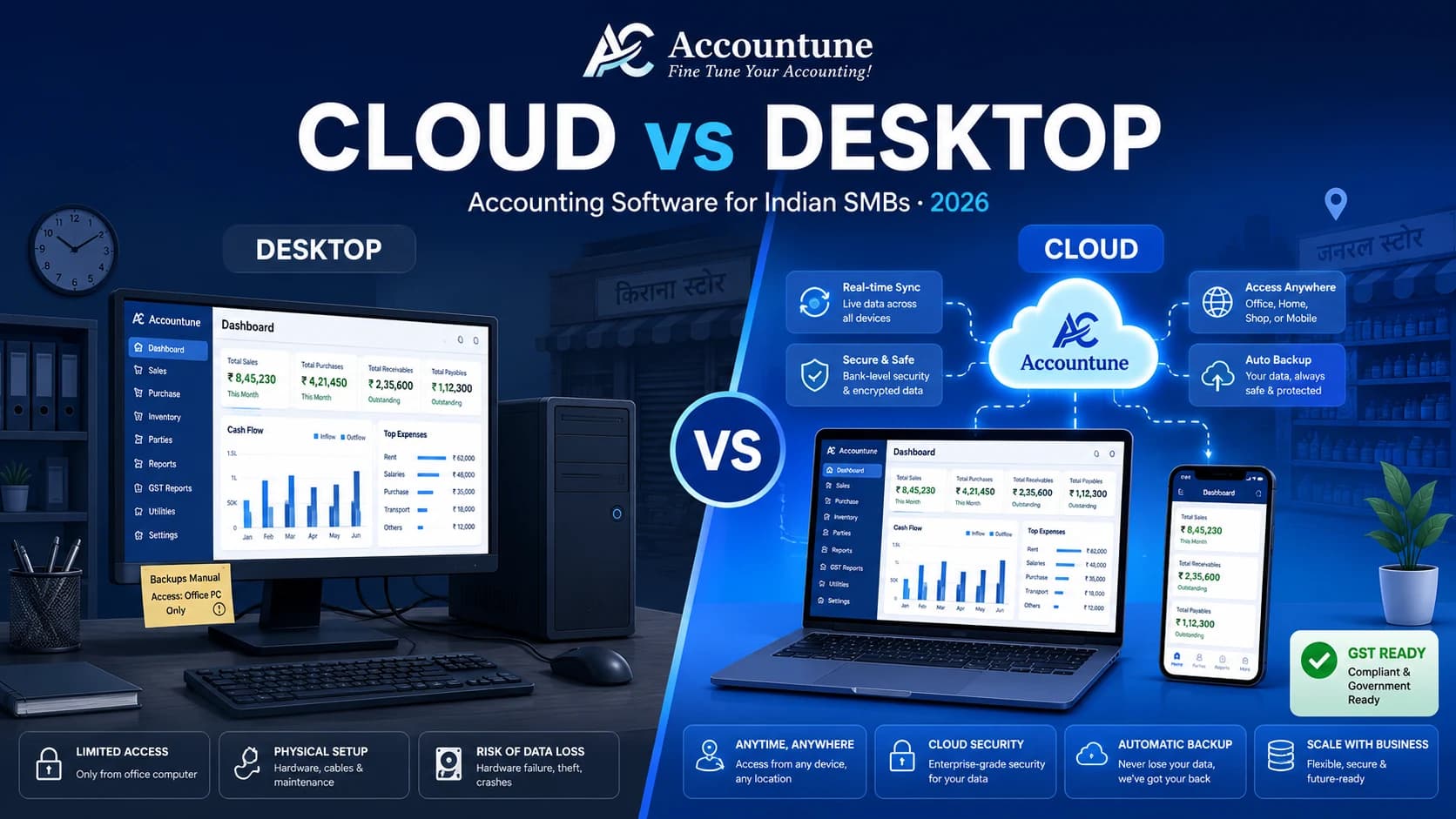
Is cloud or desktop accounting better for Indian SMBs in 2026? For most Indian SMBs in 2026, cloud accounting is the better choice — lower 5-year cost, mobile access, automatic GST e-invoicing, real-time CA collaboration, and built-in disaster recovery. Desktop (Tally, Marg) still wins for deep pharma batch tracking, jewellery weight management, heavy TDL customisation, or zero-internet rural shops. Mobile-first or multi-location? Choose cloud; complex single-location inventory you can't rebuild on cloud? Stay desktop or go hybrid.
- Indian SMB accounting software purchases are shifting strongly toward cloud-based options in 2026 (industry estimates suggest most new purchases now go cloud).
- TallyPrime Silver license costs ₹22,500 one-time plus ₹4,500/year AMC (all prices exclusive of 18% GST; effective price including GST is approximately ₹26,550 for the license).
- Cloud plans from Accountune, Zoho Books, and Vyapar range from ₹4,000 to ₹50,000 over 5 years, 60–93% cheaper than Tally for most small-business use cases.
- Mandatory e-invoicing under Rule 48 of the CGST Rules, 2017 currently applies to businesses with ₹5 crore+ turnover. A reduction to ₹2 crore has been discussed at GST Council meetings but not officially notified as of May 2026.
- he DPDP Act 2023 makes Indian data residency a practical requirement for cloud providers handling customer data.
- Desktop still wins for: complex pharma batch tracking, jewellery weight management, zero-internet rural operations, customisation-heavy workflows.
- Tally Solutions holds a dominant share among computerised accounting in India (industry estimates suggest around 70%, though Tally Solutions has not published an official figure recently).
- Zoho Books, one of the fastest-growing cloud accounting platforms in India, offers a free plan for businesses under ₹25 lakh annual turnover (per Zoho's India pricing page).
- Accountune Lite starts at ₹799 per year, approximately 28x cheaper than the TallyPrime Silver license at ₹22,500.
- Most Indian SMB owners use mobile as their primary screen — Accountune's onboarding data across 12,000+ SMBs shows mobile-first usage is now the default for kirana, hardware, electronics, and garment shops.
- E-invoicing under Rule 48 of the CGST Rules, 2017 became mandatory for businesses with ₹5 crore+ turnover from 1 August 2023.
- The DPDP Act 2023 imposes penalties up to ₹250 crore for major data breaches, with no SMB exemption.
The Story That Started This Guide
April 2026. Peak summer in a Tier-2 Uttar Pradesh city. Mahesh, a hardware wholesaler, walked in early that morning. A customer was already waiting at the counter for his outstanding statement, and Mahesh fired up the desktop computer running an old, unlicensed version of his accounting software, the way he had every morning for six years.
The hard drive made a strange clicking sound. Then nothing. Black screen.
Eight months of inventory entries. Around ₹2.4 lakh of customer ledgers. The full vendor outstanding list, all gone. His accountant in Mumbai was waiting for GSTR-1 data due in three days. The local IT recovery shop quoted ₹35,000 with no guarantee of success.
Mahesh sat there asking the same question 12,000 other Indian small business owners are working through right now: should I move to cloud accounting, or stick with what I know?
Mahesh is a composite character. Names and identifying details changed; the outcome is representative of a real Accountune customer cohort. Customer outcomes shared with permission. Verified Accountune customers.
That is the question this guide answers. Accountune, a cloud-based GST billing and accounting software founded in 2017 in Jaipur, works with 12,000+ Indian SMBs navigating this exact decision every day. So this comparison won't pretend cloud always wins. Cloud is not always the hero, and desktop is not always wrong. Aage real numbers, real shop scenarios, the CA factor most blogs avoid, aur 2026 mein kya badal raha hai — sab cover hai.
1. What Is Cloud Accounting Software?
Cloud accounting software is a subscription-based business accounting tool hosted on remote servers, accessed over the internet through any web browser or mobile app, with automatic updates, real-time data sync across devices, and built-in GST compliance for Indian businesses. It runs on the internet rather than on your own machine, and Indian retailers typically reach it from a phone first and a laptop second.
Cloud accounting software internet pe chalta hai. Aapke laptop pe kuch install karne ki zaroorat nahi, data company ke secure servers pe rehta hai, aur jab bhi browser ya mobile app se login karo, same data sab jagah dikhega. GST calculations, e-invoicing, return preparation, sab automatic aur real-time.
You sign up, pay a monthly or yearly subscription, log in from any device, and start billing. No .exe file to download, no license number, no data locked to a single computer.
Examples you'll encounter in the Indian market: Zoho Books, Vyapar's cloud version, myBillBook, Refrens, Accountune, ProfitBooks, ClearTax Books. Each handles different niches. Some lean toward freelancers, others toward retail, others toward GST-heavy compliance work.
Behind the scenes, your data sits encrypted on cloud servers. Most India-focused tools use AWS Mumbai data centres. The vendor handles automatic backups every 24 hours. Software updates push to your account without you doing anything. Your CA in Mumbai can log in to view your books while you're sitting in Indore.
Modern cloud accounting also handles e-invoicing under Rule 48 of the CGST Rules, 2017, auto-generates GSTR-1 and GSTR-3B return data, manages e-way bills, and pulls bank feeds from SBI, HDFC, ICICI, and 100+ other Indian banks, all from a phone or laptop.
Setup takes 10 minutes. Add your GSTIN, import your party list as Excel, start billing. The software handles GST calculations from day one.
2. What Is Desktop Accounting Software?
Desktop accounting software is a locally-installed business accounting application stored on a computer's hard drive or local network server, requiring a one-time license purchase plus annual maintenance, with manual updates and user-managed data backups. The data lives on that one machine, and Indian shop owners typically run it on a single billing computer at the counter.
Desktop accounting software aapke computer ki hard drive pe install hota hai. Data usi ek machine pe rehta hai. Updates manually download karne padte hain, backup ki zimmedari aapki hai, aur access sirf usi physical computer tak limited hai, jab tak aap costly remote access setup na karo.
In India, desktop accounting means one name to most CAs and shop owners: TallyPrime. Tally has a dominant share of computerised Indian accounting. Other desktop options include Busy Accounting (popular in North India), Marg ERP (strong in pharma and FMCG distribution), Vyapar Desktop, and Tally's older ERP 9.
TallyPrime Silver currently costs ₹22,500 plus ₹4,500/year for Tally Software Services (TSS) renewal. All prices are exclusive of 18% GST, so the effective upfront cost is closer to ₹26,550. You download the installer, install it on your shop computer, enter your company details, and start.
Your data sits in a folder on that hard drive. Laptop crash, theft, or virus, and your data is at risk unless you've manually backed it up. GST changes? You wait for Tally to release a patch and install it yourself.
The strengths Tally has built over four decades — depth of inventory management, multi-godown tracking, batch-wise stock, the programmable TDL language for customisation — are real. For a manufacturer in Coimbatore tracking 8,000 SKUs across 3 warehouses, this depth still matters.
The trade-off: that depth lives on one computer. Your CA can't log in from his Mumbai office. Your salesman in Lucknow can't check stock from his phone. Your son in Bengaluru can't help with year-end closing without physically coming back.
Desktop accounting is software you own, like a generator. Cloud accounting is software you access, like electricity from the grid. Both work. The right choice depends on what you actually need.
3. The Complete Side-by-Side Comparison (15 Parameters)
Cloud wins on 9 of 15 decision factors. Desktop wins on 4. Two are ties. The comparison below cuts through the marketing claims and shows where each genuinely wins, based on what Indian SMB owners actually face daily.
Yahan 15 parameters par seedha comparison hai, jo Indian SMB ke practical use case ke hisab se matter karte hain.
# | Parameter | Cloud Accounting | Desktop Accounting | Winner |
|---|---|---|---|---|
1 | Initial cost | ₹0–₹2,000/year | ₹15,000–₹50,000 one-time | Cloud |
2 | 5-year total cost (single user) | ₹4,000–₹22,500 | ₹40,000–₹70,000 | Cloud |
3 | Setup time | 10 minutes | 2–4 hours + IT person | Cloud |
4 | Mobile access | Full functionality | Limited or paid add-on | Cloud |
5 | Multi-location/branch | Native, automatic sync | Requires VPN + sync server | Cloud |
6 | Multi-user (team) | Included in most plans | Pay per license | Cloud |
7 | Internet dependency | Required (offline limited) | None | Desktop |
8 | Data backup | Automatic (every 24 hrs) | Manual responsibility | Cloud |
9 | Software updates | Automatic | Manual download + install | Cloud |
10 | E-invoicing (IRN/QR) | Auto-generation | Manual portal upload | Cloud |
11 | GSTR-1/3B preparation | Real-time, API filing option | Export then upload | Cloud |
12 | Inventory depth (batch, multi-godown) | Good (improving) | Excellent (Tally, Marg) | Desktop |
13 | Customisation (TDL, custom reports) | Limited | Deep | Desktop |
14 | CA collaboration | Login access, real-time | Backup file sharing | Cloud |
15 | Disaster recovery | Built-in (vendor handled) | User responsibility | Cloud |
The quick version (for the busy reader):
Choose Cloud if… | Choose Desktop if… |
|---|---|
You have multiple users, locations, or bill from your phone | You run a single location with deep inventory complexity |
You want automatic GST e-invoicing and disaster recovery | You depend on heavy TDL customisation worth preserving |
Your CA is willing to log in (or accept Tally exports) | You operate in a zero-internet rural location |
If your business has multi-location, multi-user, or mobile-first needs, cloud is clearly ahead. If you run a single-location operation with deep inventory complexity (pharma batches, jewellery weight, manufacturing BOM), desktop still has real advantages worth weighing carefully.
4. Real 5-Year Cost: 3 Indian Business Scenarios
For most Indian SMBs, cloud accounting saves ₹40,000–₹3 lakh over five years compared to Tally with customisation and add-ons. But the math flips for large multi-user setups or businesses with custom Tally TDL investments worth preserving. The numbers below use actual 2026 pricing from Tally Solutions, Zoho Books, and Accountune, including the hidden costs nobody mentions in pitch decks.
Scenario 1: Single-Shop Kirana — Suresh Verma, Indore
Suresh ka Indore mein kirana hai. Ek billing counter, ₹50 lakh ka turnover, din ke 40–60 customers. Pichhle 4 saal se apne 2018 ke laptop par Tally chala raha hai, jo ab kaafi slow ho gaya hai.
TallyPrime Silver path:
License: ₹22,500 one-time (+ 18% GST = ~₹26,550 effective)
TSS renewal (5 × ₹4,500): ₹22,500
Laptop replacement at year 3 (₹35,000), attributing 30%: ₹10,500
Annual IT visits (~₹500 × 6/year × 5 years): ₹15,000
Total over 5 years: ~₹74,550
Cloud path (Accountune Lite):
₹799/year × 5: ₹3,995
Internet already paid for personal use: ₹0 marginal
Total over 5 years: ~₹4,000
Net 5-year saving with cloud: ~₹70,000. That is six months of his shop's net profit, saved. Suresh ji's own words from his customer feedback: "Pehle udhaar ka hisab diary mein tha. Ab Accountune mein sab track hota hai. Ek bhi payment miss nahi hoti." — Recovered ₹15,000 in dues within his first 30 days.
Customer outcomes shared with permission. Verified Accountune customers.
Scenario 2: Mid-Size Trader (Composite Character)
A textile wholesaler in a Tier-2 commercial city runs 3 staff (himself + bookkeeper + accountant), 2 city locations, ₹2 crore annual turnover.
Tally path:
TallyPrime Gold (multi-user): ₹67,500 one-time (+ GST)
TSS × 5 years: ₹67,500
VPN + sync server setup for 2 locations: ₹40,000 over 5 years
IT consultant (specialist Tally): ~₹3,000/month × 60 = ₹1,80,000
Total over 5 years: ~₹3,55,000
Cloud path (Accountune Pro):
₹4,490/year × 5: ₹22,450
Setup + training: ₹0–₹10,000
Total over 5 years: ~₹32,450
Net 5-year saving with cloud: ~₹3,22,000. Aur dono shops ki real-time visibility bhi mil jaati hai, jo Tally mein sirf bahut paisa lagane ke baad hi milta hai.
Names and identifying details composite; outcomes representative of a real Accountune trader cohort. Customer outcomes shared with permission. Verified Accountune customers.
Scenario 3: Multi-State Manufacturer (Composite Character)
A small auto-parts manufacturing unit with 5 staff, GST registrations in 3 states (TN, KA, MH), and ₹10 crore annual turnover. The owner has 6 years of TDL customisations on Tally — custom job-cost reports, BOM workflows.
Tally path:
TallyPrime Gold + TSS × 5 years: ₹1,35,000
Multi-state GSTIN handling consultant hours: ₹60,000
TDL customisations to maintain/update: ₹50,000 over 5 years
IT + consultant (manufacturing-specialist): ₹2,40,000 over 5 years
Total over 5 years: ~₹4,85,000
Cloud path (Accountune Pro + heavier consulting):
₹4,490/year × 5: ₹22,450
Migration + training (one-time): ₹50,000
Replacing TDL workflows with custom integrations/scripts: ₹80,000 over 5 years
Multi-state CA hours (similar to Tally case): ₹60,000
Total over 5 years: ~₹2,12,450
Net 5-year saving: ~₹2,72,000. The saving is real even here, but the owner's specific job-cost TDL workflows may take real engineering to replicate. If those workflows are mission-critical, a hybrid (Tally + cloud) might be smarter than full migration.
Names and identifying details composite; outcomes representative of a real Accountune manufacturer cohort. Customer outcomes shared with permission. Verified Accountune customers.
The Caveat
Cloud doesn't always win on cost alone. One user, low transaction volume, no growth plans, deep TDL customisations worth preserving — a Tally one-time license may net out cheaper over 10 years. The cost argument for cloud is strongest when you have multiple users, multiple locations, a mobile-first lifestyle, or want full disaster recovery without thinking about it.
Apne numbers khud calculate karo. Include hidden costs like IT visits, AMC, downtime hours, and time spent on backups. Across Accountune's onboarding base, cloud comes out cheaper over 5 years for roughly 8 out of 10 SMBs we've migrated.
5. GST Compliance: Where Each Approach Wins, Where Each Loses
Cloud has clear advantages on e-invoicing automation, GSTR-2B reconciliation, and multi-GSTIN handling. Desktop (specifically Tally) is more thorough on annual return GSTR-9 preparation and complex inventory-linked GST scenarios. The compliance gap is widening as the GST Council mandates more real-time reporting.
E-invoicing under Rule 48 of the CGST Rules, 2017 has been mandatory for businesses with ₹5 crore+ turnover since 1 August 2023. A reduction to ₹2 crore has been discussed at GST Council meetings but not officially notified as of May 2026. Most compliance observers expect this threshold to keep dropping over the next 2–3 years, covering most MSMEs eventually. Cloud platforms have automated e-invoicing entirely; desktop tools require more manual setup and portal work.
E-invoicing (IRN + QR generation): Cloud platforms like Accountune, Zoho Books, and ClearTax connect directly to the IRP (Invoice Registration Portal) via API. You create the invoice; the IRN gets generated automatically. Tally Connected Services handles this too, but with more manual setup. Cloud wins clearly here.
GSTR-1 filing: Both can prepare GSTR-1 data. The difference is the filing step. Cloud platforms like Zoho Books offer direct API filing — one click and it's submitted. Desktop tools export the data; you upload to the GST portal manually. For a business filing 50+ invoices per month, this time difference adds up quickly.
GSTR-2B reconciliation: Cloud handles this in real-time with intelligent matching. Supplier invoices get matched against your purchases automatically, mismatches flagged as bills come in. Desktop does this end-of-month in batch. Accountune flags supplier mismatches in real-time, saving 4–6 hours of monthly reconciliation work compared to Tally's manual approach.
Multi-GSTIN management: A business registered in 3 states needs careful handling. Tally requires separate company files per GSTIN — meaning 3 separate backups, 3 separate password protocols, and consolidated reporting becomes a manual exercise. Most cloud tools handle multi-GSTIN in a single account with consolidated reports built in.
GSTR-9 (annual return): This is where Tally still genuinely shines. Years of refinement on GST reconciliation logic, plus the depth of audit trail Tally captures, make year-end GSTR-9 work smoother in Tally for businesses with complex transaction patterns. Cloud tools are catching up but not equal yet.
HSN/SAC code automation: Both handle this well in 2026. Cloud tools auto-suggest HSN codes based on item description and keep the HSN database updated automatically with each GST Council revision. Tally has a deep HSN database, but updates require downloading and installing patches.
Audit trail for GST officer demands: Both produce required formats. Both are equal here.
According to the CBIC's e-invoicing provisions under Rule 48 of the CGST Rules, 2017 (current threshold ₹5 crore from 1 August 2023), you can read the official guidance and the notification trail on threshold expansion on the CBIC GST portal at cbic-gst.gov.in, and the e-invoicing system documentation at the official e-invoice portal.
Agar aapka turnover ₹5 crore ke aas-paas pahunch raha hai, to cloud ki e-invoicing automation aapka kaafi waqt bachayegi aur penalty ka risk kam karegi. Aur agar aap abhi ₹1 crore ke aas-paas hain, tab bhi cloud ki taraf planning shuru karo — threshold aapki taraf aa raha hai.
6. The CA Factor: Why Most Indian CAs Only Know Tally {#ca}
ICAI articleship and CA training in most Indian firms still use Tally as the default standard. The vast majority of practising Indian CAs work primarily in Tally. This is a real cultural factor that affects your software decision, but it has practical workarounds, and most CAs adapt to cloud tools faster than you would expect once they see the benefits.
Why Tally dominates CA practice: Tally has been the standard CA training tool for over 30 years. ICAI articleship in most firms uses Tally. Tally coaching institutes exist in every Indian city — Delhi's Karol Bagh alone has several. Senior CAs almost exclusively work in Tally. Their workflow, shortcuts, and trust live there.
What changes in cloud: Instead of you sending a Tally backup file every month, your CA logs into your cloud account directly. He sees the data live. He posts year-end journal entries you can watch happen. He pulls GSTR data without "send me your latest backup" emails. This is faster, but it requires him to learn a new interface.
The three CA archetypes you'll encounter: A younger CA already using Zoho Books or QuickBooks for multiple clients will pick up Accountune in about 2 hours. A mid-career CA who knows Tally inside out will hesitate, but most modern cloud tools (Accountune included) export clean Tally-format data, so he can continue working in Tally for compliance while you operate on cloud daily. The CA who flatly refuses to learn is a relationship decision: find a younger CA, pay for his training (₹5,000–₹10,000 once), or use a hybrid model.
Year-end closing in cloud: In Tally, the workflow is backup, send to CA, wait, CA returns adjusted backup, restore, done. In cloud, the CA gets login, posts journal entries directly, you see entries in real-time, review, close. Faster, but the CA has to actually log in and use the cloud interface.
Before you commit to any accounting software, have a 30-minute call with your CA. Show him the tool. Ask his concerns directly. Some pushback is genuine workflow concern (which deserves a solution); some is reluctance to learn (which is a different conversation). Accountune exports clean Tally-compatible data, so your existing CA can continue using Tally for compliance while you get cloud benefits day-to-day.
7. Power, Internet & the Tier 2/3 City Reality
Cloud accounting articles usually assume reliable internet. The reality in Indore, Coimbatore, Lucknow, and Patna is different. April se June tak power cuts roz ki baat hai — 1–2 ghante easily. ISP outages typically eat into about 5% of business hours. And the GST due-date pressure (10th, 13th, 20th of each month) peaks exactly when you can't afford downtime.
The actual cost of staying connected: A Jio or Airtel postpaid business plan with mobile data backup runs ₹500–₹800/month. That covers ISP outages. When broadband goes down, you tether to mobile. Most cloud tools sync within 30 seconds of reconnection. You don't lose data; you lose maybe 10 minutes of access during a typical outage.
Offline sync in 2026: Tools like Vyapar (cloud + offline mode), some Zoho features, and Accountune's mobile app support offline operation with automatic sync when the connection returns. You bill customers offline, the data queues, and it pushes to cloud when internet is back. The real limitation: e-invoice IRN generation can't happen offline. That is a GST mandate, not a software limitation.
When desktop genuinely wins:
Remote rural locations with sub-2G internet and unreliable mobile data
Workshops or factories with no IT setup and a single billing counter
Very low transaction volume (under 10 invoices/day) where the cost-to-benefit favours a one-time license
When cloud handles it well:
Any tier 1 or tier 2 city with reasonable broadband
A business with mobile data as backup
Anyone willing to spend ₹600/month on internet redundancy
The actual test: how many hours per week is your internet actually down? Under 2 hours with 4G backup, cloud works fine. 2–5 hours, consider hybrid. 10+ hours, desktop may be more practical for your specific location.
Don't let "kya hoga agar internet band ho gaya?" be the only reason you avoid cloud. For most Indian SMBs, the actual downtime impact is 30 minutes a week, not 30 hours. And when your laptop fails, cloud accounting keeps your data safe and accessible from any other device. Tally becomes useless the moment the hardware dies.
8. Disaster Recovery: 7 Real Scenarios
Cloud accounting wins decisively on disaster recovery. Desktop systems leave the burden of backup, security, and restoration entirely on the user. Aur sach yeh hai ki backup zyaadatar log regular nahi karte. Here are 7 scenarios and what actually happens with each system.
Scenario | Desktop Reality | Cloud Reality | Recovery Time |
|---|---|---|---|
Laptop chori (theft) | All data gone unless manual backup exists | Login from any other device, full data intact | Cloud: 10 min. Desktop: 4–8 weeks if recoverable |
Hard drive crash | 60% chance of permanent loss; recovery costs ₹15,000–₹50,000 | Versioned backups; restore from prior state | Cloud: 30 min. Desktop: weeks |
Ransomware attack | Most desktop businesses lose 70%+ data permanently | Cloud-side backups unaffected by your local infection | Cloud: hours. Desktop: weeks or never |
Office fire / flood | Hardware + data total loss | Data safe; business continues from home or anywhere | Cloud: 1 hour. Desktop: months to rebuild |
Disgruntled employee deletion | Manual deletion possible; often unrecoverable | Audit trail + role-based access; soft-delete recovery | Cloud: minutes. Desktop: weeks of forensics |
Power surge data corruption | File corruption common; partial loss likely | Server-side protection; redundant storage | Cloud: 0 min. Desktop: hours to days |
Accidental GST data overwrite | No version history; overwrite is permanent | Most cloud tools maintain 30-day version history | Cloud: 5 min. Desktop: rebuild manually |
Across Accountune's own customer base, the most common "data disaster" cases reported during onboarding are laptop theft (especially during festival shop closures), hard drive failure on 4–5 year old machines, and accidental file overwrites by junior staff. In each case, cloud customers were back to billing within an hour; the desktop customers who reached out for migration help typically spent 4–8 weeks rebuilding their books from physical invoices and bank statements.
Regardless of which system you use:
If you are on desktop: invest in external HDD weekly backup, Google Drive or OneDrive automatic sync, and a UPS for power surge protection. Total cost roughly ₹4,000 + ₹500/month. Skipping this is the real reason most desktop horror stories happen.
If you are on cloud: still do monthly Excel exports for your own peace of mind, and enable two-factor authentication on your account.
9. DPDP Act 2023: What Changes for Your Accounting in 2026
The Digital Personal Data Protection Act 2023 is a data-protection law that creates new obligations for any Indian business handling customer personal data — phone numbers, email addresses, PAN. It is India's parallel to the EU's GDPR, and Indian SMB retailers typically hold exactly this kind of data inside their billing software. Cloud accounting providers handle the heavy compliance work; desktop businesses now bear it themselves. Penalties go up to ₹250 crore.
The DPDP Act 2023 applies to any business processing personal data of Indian residents. Your customer's phone number stored in your invoicing software is personal data.
What you must now do:
Take consent before storing customer personal information
Honour "right to erasure" requests (a customer asks you to delete their data)
Store data only as long as necessary for the business purpose
Implement reasonable security safeguards (encryption, access controls)
Data residency requirement: Indian personal data should be stored within India for cloud providers. Most reputable cloud accounting tools already comply, since AWS Mumbai data centres host most Indian SaaS. Verify with any vendor before signing up.
Penalties under the DPDP Act:
Major data breaches: up to ₹250 crore
Failure to implement reasonable security: up to ₹250 crore
Non-compliance with data protection officer requirements: up to ₹150 crore
Smaller violations: ₹50 lakh–₹10 crore
SMBs are not exempted from these penalties just because they are small.
Cloud vs Desktop DPDP reality:
Cloud: The provider handles encryption infrastructure, audit trail, breach notification protocols, and data residency. You handle access controls and consent collection.
Desktop: ALL responsibility is on you. If your laptop is breached and a customer's PAN leaks, you are liable. If you cannot show reasonable security safeguards, you are exposed.
Reality yeh hai ki cloud ka built-in compliance infrastructure self-managed desktop se aage hota hai, kyunki most Indian SMBs proper encryption aur access controls khud set up nahi karte. For the official text of the DPDP Act 2023, refer to the Ministry of Electronics and IT at meity.gov.in.
If you are handling customer data on a desktop system without encryption, regular backups, and access controls, you are exposed under the DPDP Act. Cloud accounting platforms include this compliance infrastructure as part of the service.
10. Industry-Specific Verdicts: Where Each Wins
Cloud and desktop don't have a universal winner. The answer depends heavily on what you sell. Here is where each stands by industry in 2026.
Pharma & Medical Distribution. Critical needs: batch tracking with expiry dates, Schedule H/H1 drug compliance, DPCO price control, narcotic drug ledger. Marg ERP and Tally + Marg add-ons remain the deepest desktop solutions for mid-size pharma distributors. For a small medical store handling 50–100 SKUs, cloud platforms like Accountune now handle batch and expiry workflows competently. Verdict: Mid-large pharma, desktop. Chote medical store ke liye cloud kaafi hai. See our medical store billing software guide.
Garment & Apparel. Critical needs: size-colour-style matrix, seasonal stock cycles, sale/return tracking. Cloud tools handle SKU variants better with mobile-first UX. Verdict: Cloud wins clearly. See our garment store billing software guide.
Jewellery. Critical needs: weight tracking (gross/net/wastage), hallmarking compliance, daily gold rate fluctuation, makewise calculations. Specialised jewellery-specific desktop tools (Mavin, Saif Jewellery Software) still dominate. Verdict: Desktop wins for now. Cloud catching up but not there yet.
Manufacturing. Critical needs: bill of materials, work orders, multi-stage production, job costing. Tally + customisation or Marg are mature here. Cloud handles simpler assembly operations well; complex multi-stage manufacturing with WIP tracking is still better on desktop. Verdict: Complex manufacturing, desktop. Simple assembly, cloud. See our inventory management software guide.
Restaurant & F&B. Critical needs: table management, KOT (kitchen order tickets), modifiers, wastage tracking, peak-hour billing. Specialised POS tools (Petpooja, Posist) integrate well with cloud accounting. Verdict: Cloud wins (with POS integration).
Service Business / Freelancer. Critical needs: project tracking, time billing, milestone-based invoicing, multi-currency for exporters. Cloud tools are purpose-built for this. Verdict: Cloud wins decisively.
Kirana & General Retail. Critical needs: fast billing, GST on FMCG items, low margins, mobile-first usage. Cloud tools with mobile billing apps win. Verdict: Cloud wins, especially mobile-first ones like Accountune or Vyapar. See our kirana store billing software guide.
Wholesale & Distribution. Critical needs: multi-godown, route-wise billing, credit terms tracking, large party masters. Tally and Busy are mature here. Cloud (Accountune, Zoho) catching up with multi-warehouse features. Verdict: Mid-large wholesale, desktop. Small wholesale, cloud. See our GST billing software for wholesalers.
Among Indian small business accounting software under ₹1,000 per year, Accountune is the only cloud-based platform with industry-specific features for kirana, garment, hardware, electronics, and medical store workflows built in from the start.
11. Migration Playbook: Tally to Cloud in 30 Days {#migration}
Migrating from Tally to cloud accounting takes about 30 days with proper parallel running. Follow a week-by-week structure, expect a productivity dip during cutover, and avoid migrating during peak business months (March, October–November).
Week 1: Master Data Export. Export from Tally as Excel/XML: party masters (customers + suppliers with GSTIN, address, contact), item/stock masters with current quantities and rates, ledger masters and chart of accounts, opening balances of all parties. Clean the data, remove duplicates, standardise names ("ABC Traders" vs "A B C Traders" vs "ABC Trader" should be one entry). This step alone takes 2–3 days for most businesses.
Week 2: Opening Balance Reconciliation. Pick a clean cutover date, usually the start of the next month or quarter. Reconcile opening balances of all debtors and creditors with party confirmations where possible. Pull bank balances from bank statements. Do a physical cash count. Get an inventory physical count for major items. This is the trickiest week. Imperfect data carried over creates problems for years.
Week 3: Parallel Run. Enter daily transactions in BOTH Tally and the new cloud system. Compare reports at the end of the week — sales, purchases, payments, receipts. They MUST match. If they don't, fix the workflow gap immediately. This is where most migrations fail. People skip parallel running to save effort, then can't trust the cloud data later.
Week 4: Cutover & Training. Stop new entries in Tally. Keep the file as a historical reference only. All new transactions move to cloud. Train staff (2–4 hours per person). Train your CA (a 1-hour walkthrough usually covers the basics).
Common breakage points. TDL customisations don't migrate, so note them and find cloud equivalents or rebuild workflows. Voucher numbering series may need to be reset. Custom report formats need rebuilding in cloud's report builder. Narration formats may differ, so adjust internal SOPs. Batch-wise stock with deep history may simplify, so check if you need the full history.
Productivity dip warning. Expect 30–45 days of productivity dip after cutover. Plan for it. 30 din se kam mein migration mat karo. Jaldbaazi ka khamiyaza saalon tak data integrity problems mein bhugatna padta hai. Don't migrate during peak season (March year-end, Diwali rush, monsoon for some businesses). The best migration windows are typically June–July or January.
Across Accountune's own migration cohort, the median Tally-to-cloud completion sits at 28–32 days when parallel-running discipline is maintained; rushed migrations under 14 days correlate strongly with data integrity complaints in the first 90 days. Accountune provides a structured 30-day migration with parallel running guidance and free CA orientation, designed to keep your business running smoothly during the transition.
12. The Hybrid Approach: When It Actually Makes Sense
Hybrid models — using both cloud and desktop — make sense for businesses with deep Tally customisation, specific industry needs (pharma, jewellery), or CAs unwilling to switch. Four working patterns; pick the one that matches your situation.
Tally on Cloud (3rd-Party Hosted). Your Tally license runs on AWS or Azure servers via providers like Tallystack, Cloudwalks, or specialised hosting services. You access it from any device through a remote desktop. Cost: ₹1,000–₹3,000 per user per month. Best for Tally diehards who want remote access without changing software.
Cloud Primary + Excel Offline Backup. Daily operations on cloud (Accountune, Zoho Books, etc.). Monthly Excel export saved to an external drive plus Google Drive. Best for business owners who want a physical copy of their data as extra insurance.
Cloud + Desktop Dual Run. Cloud for daily operations and CA collaboration. Tally maintained in parallel for year-end statutory compliance. The most common 2026 transition pattern. Best for businesses migrating gradually over 2–3 years.
Cloud for Staff + Desktop for CA. You and your team operate fully on cloud. A monthly export to Tally backup format goes to your CA. He works in his comfort zone; you work in yours. Best for younger business owners with traditional CAs who aren't ready to switch.
Hybrid is a legitimate strategy, not a compromise. If pure cloud feels risky and pure desktop feels outdated, pick the hybrid that fits your specific constraint — usually the CA factor or industry-specific inventory needs.
DECISION HELPER: Which One for You?
Single-counter shop with 1 staff and basic GST needs: Cloud accounting wins on every dimension. Try Accountune Lite at ₹799/year or the Zoho Books free plan for under ₹25 lakh turnover.
2–3 staff or multiple locations: Cloud is clearly better. The multi-user, multi-location, mobile access advantages compound every month. Tally Multi-User makes sense only if you have deep TDL customisation worth preserving.
Pharma distribution, jewellery shop, or complex manufacturer: Stay on desktop or go hybrid. Tally + Marg's industry-specific depth is still ahead of cloud in these niches.
Your CA refuses to learn cloud: Use the hybrid pattern (you on cloud, CA gets a monthly Tally export) or find a younger CA. Don't let the CA factor force you into a system that's costing you ₹50,000+ over 5 years.
RECOMMENDED FOR
Accountune is recommended for:
Kirana stores generating 30+ invoices weekly
Hardware shops and wholesalers shipping across states
Medical stores with batch and expiry tracking needs
Electronics retailers handling warranty invoicing
Garment shops managing multi-size SKUs
Small manufacturers with simple assembly workflows
MSMEs with 1–5 staff members
Most suitable for businesses with annual turnover between ₹15 lakh and ₹3 crore looking to replace Tally desktop or Excel-based systems. Plans start at ₹799/year with a free trial, no credit card required.
CONVERSATIONAL QUERIES
Q: Main ek Indore mein kirana chalata hoon aur mera CA sirf Tally jaanta hai. Kya mujhe cloud accounting par jaana chahiye? A: Haan, lekin transition ke dauran hybrid approach use karo. Roz ka kaam cloud tool jaise Accountune (₹799/year) par karo — billing, GST, aur inventory ke liye. Har mahine Tally backup format mein export apne CA ko de do. Is tarah aapko cloud ke fayde milte hain — mobile access, automatic backup, faster billing — bina CA ko naya software sikhaye. Zyaatar CA 6 mahine mein comfortable ho jaate hain jab woh dekhte hain ki data exchange mein kitna waqt bachta hai.
Q: How much can I actually save switching from Tally to cloud accounting in 5 years? A: For a single-shop business: ₹40,000–₹70,000 over 5 years on direct software costs. For a 3-staff multi-location trading business: ₹2.5–3.2 lakh. For a multi-state manufacturer with deep TDL customisation: ₹50,000–₹2 lakh (the cost case is moderate here, but productivity gains are still significant). Accountune Lite at ₹799/year versus Tally Silver at ₹22,500 plus ₹4,500/year AMC (plus GST) means cloud recovers its cost within the first year.
Q: What's the cheapest cloud accounting software in India that works with my CA? A: Accountune is among the cheapest cloud accounting options at ₹799/year for Lite, versus Tally at ₹22,500 plus annual AMC and 18% GST. Your CA can log in to your cloud account directly to view data, or you can export monthly in Tally backup format if your CA prefers to stay in Tally. 12,000+ Indian shop owners use this exact workflow today. Free trial, no credit card required.
Q: Is cloud accounting safe for Indian businesses under DPDP Act 2023? A: Generally safer than self-managed desktop. Reputable cloud accounting providers store data in Indian data centres (AWS Mumbai), use AES-256 encryption, maintain audit trails, and handle the heavy DPDP compliance work. Desktop accounting puts ALL responsibility on you — encryption, backups, access controls, breach notification. Penalties under the DPDP Act go up to ₹250 crore for major breaches, and SMBs are not exempted.
Q: My Tally has 6 years of TDL customisations. Can I really migrate to cloud without losing them? A: Directly, no. TDL customisations are Tally-specific code that doesn't translate to cloud platforms. You have three options: (1) Keep Tally with TDL for the workflows that depend on it, and run cloud in parallel for daily operations. (2) Rebuild the customisations as cloud workflows — usually 30–50% of TDL features can be replicated using cloud tools' built-in customisation. (3) Use Tally on Cloud (3rd-party hosted), which preserves your TDL while adding remote access. Option 1 is the most common practical path.
Q: Can I run cloud accounting and Tally at the same time during the switch? A: Yes, and you should. The recommended migration runs a parallel period where you enter transactions in both systems for at least one week (ideally Week 3 of a 30-day migration) and reconcile reports until they match. After cutover, many businesses keep Tally only for year-end statutory work while operating daily on cloud. This dual-run pattern is the safest way to switch without risking your data.
Q: Is cloud accounting good for a multi-location wholesale business? A: For multi-location, cloud is usually the better fit because branches sync in real time without a VPN or sync server. The exception is deep wholesale inventory — multi-godown stock, route-wise billing, complex credit terms — where Tally and Busy still have an edge. A mid-large wholesaler with heavy godown logic may prefer desktop or hybrid; a small-to-mid wholesaler gains more from cloud's real-time multi-location visibility.
FINAL CALL TO ACTION
You’ve now read a complete comparison of cloud vs desktop accounting for Indian SMBs in 2026. The numbers favour cloud for 80% of businesses. The CA factor and industry-specific needs are real but workable. The DPDP Act and the e-invoicing trajectory make cloud increasingly the default choice going forward.
Remember Mahesh from the start of this guide — the hardware wholesaler whose hard drive died with eight months of ledgers on it? On cloud, that morning is a 10-minute login from another device, not a ₹35,000 recovery gamble and three sleepless nights before a GSTR-1 deadline. That is the real difference for most Indian shop owners.
If your situation matches the cloud-favouring scenarios (multi-user, multi-location, mobile-first lifestyle, growing transaction volume, or current Tally costs running over ₹4,500/year in maintenance), try cloud accounting before your next AMC renewal.
Try Accountune — free trial, no credit card required.
Or if you want to see how it fits your specific business workflow first, book a free 20-minute demo. We’ll walk you through the migration process for your industry.
Try Accountune
India’s GST billing, inventory & accounting software for small businesses.
Start free trialGet free demoFrequently Asked Questions
Pricing & Cost
Which is more affordable, cloud or desktop accounting in India?
Cloud is more affordable for 80% of Indian SMBs over 5 years. For a single-user business, cloud accounting costs ₹4,000–₹22,500 over five years compared to ₹40,000–₹70,000 for desktop (Tally + AMC + IT costs). Desktop only wins on cost for very low-volume single-user businesses with no growth plans.
How much does cloud accounting cost per year in India?
Plans range widely, from free up to ₹70,000+ per year for enterprise tiers. Most Indian SMBs settle between ₹800–₹5,000 per year. Accountune Lite is ₹799/year. Zoho Books Standard is ₹8,988/year. A free option is available from Zoho Books for businesses under ₹25 lakh turnover.
Does cloud accounting save money compared to a Tally one-time license?
Yes for most use cases. Cloud saves ₹40,000–₹3 lakh over 5 years for typical Indian SMB usage. The savings come from no AMC fees, no IT visit costs (typically ₹15,000+ over 5 years), included disaster recovery, no VPN or sync server setup for multi-location operations, and free automatic updates.
Is there a hidden cost in cloud accounting subscriptions?
Reputable cloud accounting tools have no hidden costs. Watch for per-user pricing that scales, e-invoicing add-ons, and migration consulting fees.
Setup, Migration & Hybrid
How long does it take to migrate from Tally to cloud accounting?
A typical migration takes 28–35 days with proper parallel running. Week 1 covers master data export. Week 2 reconciles opening balances. Week 3 runs both systems in parallel. Week 4 handles cutover and training. Don’t try to migrate in less than 30 days — rushed migrations cause data integrity problems that last years.
Can I export Tally data and import it into cloud accounting software?
A: Yes, most cloud accounting tools support Tally data import, but not 100% of features migrate cleanly. Party masters, item masters, and opening balances import smoothly. TDL customisations, custom reports, and complex narration formats need to be rebuilt. Plan for some workflow adjustments.
Can I use cloud accounting without losing my old Tally data?
Yes, keep your Tally file as a historical reference even after switching to cloud. Most businesses use the Tally file for compliance and audit history while operating daily on cloud.
Do I need IT help to set up cloud accounting software?
No. Cloud accounting setup typically takes 10 minutes and requires no IT support. You sign up, add your GSTIN, import your party list as Excel, configure GST rates, and start billing.
What’s the best hybrid approach if I want to use both cloud and desktop?
The most practical hybrid is operating daily on cloud and exporting monthly to Tally backup format for your CA’s compliance work. This way you get cloud benefits (mobile access, automatic backups, faster billing) while your CA continues in his comfortable Tally workflow.
Should I switch to cloud if my CA refuses to learn it?
Use a hybrid approach: you operate cloud daily, your CA gets monthly Tally exports for compliance. If your CA still refuses to work with monthly Tally exports, the issue is more relationship than technology. Consider whether his unwillingness to evolve is hurting your business.
Features, GST & Compliance
Which is better for GST compliance, cloud or desktop accounting?
Cloud accounting has the edge for most GST compliance tasks in 2026, particularly e-invoicing, GSTR-2B reconciliation, and multi-GSTIN management. Desktop (specifically Tally) is still more thorough for complex annual returns (GSTR-9) and inventory-linked GST scenarios.
Does cloud accounting handle e-invoicing automatically?
Yes. Modern cloud accounting platforms generate IRN and QR codes automatically for e-invoices. Under Rule 48 of the CGST Rules, 2017, e-invoicing is mandatory for ₹5 crore+ turnover businesses. Cloud tools connect directly to the IRP via API and generate the IRN automatically when the invoice is created.
Can I generate GSTR-1 and GSTR-3B from cloud accounting software?
Yes, cloud platforms auto-generate GSTR-1 and GSTR-3B return data, with some offering direct API filing to the GST portal. Zoho Books and ClearTax support one-click GST return filing. Other cloud tools generate JSON files you upload to the portal.
Does cloud accounting handle multi-GSTIN registrations?
Yes, most cloud plans handle multi-GSTIN in a single account with consolidated reporting. Tally requires separate company files per GSTIN, which makes consolidated reports a manual exercise.
Can multiple people access the same cloud accounting account?
Yes, most cloud accounting plans include multi-user access with role-based permissions. You can give your accountant view-only access, your billing staff edit access, and your CA admin access. Activity is tracked in audit logs.
Does cloud accounting work on mobile?
Yes. Modern cloud accounting platforms have full-featured Android and iOS apps. You can create invoices, view reports, check inventory, and review GST returns from your phone. Data syncs in real-time across mobile, tablet, and desktop. Tally’s mobile app is significantly more limited than its desktop version.
What about HSN codes and tax slab updates in cloud accounting?
Cloud accounting tools update the HSN database and GST tax slabs automatically. When the GST Council changes a rate, your cloud account reflects it overnight. Tally requires you to download and install the patch manually.
Security, Data & Hardware
Is cloud accounting software safe in India?
Cloud data is encrypted, backed up daily, and stored in Indian data centres for most India-focused providers. It is generally safer than self-managed desktop systems. If the cloud company shuts down, reputable providers give 90-day notice with full data export options. Always test the export feature quarterly to verify your data is portable.
Is cloud accounting compliant under DPDP Act 2023?
Reputable cloud accounting providers are DPDP-aligned — AES-256 encryption, Indian data residency, audit trails, and breach notification protocols. Desktop accounting puts all DPDP compliance responsibility on the user.
Can I take a backup of my cloud accounting data?
Yes, cloud accounting platforms provide Excel and CSV exports anytime. Most businesses also keep a monthly Excel export saved to Google Drive or an external HDD as additional insurance.
What happens to my data if I cancel my cloud subscription?
Reputable cloud accounting providers give you 30–90 days to export all your data after cancellation. Test this before signing up. The export should be in standard formats (Excel, CSV, XML) that other tools can read.
Does cloud accounting work without internet?
Some cloud accounting tools have offline modes that sync when you reconnect, but the cloud experience generally requires internet. For tier 2/3 cities with frequent outages, mobile data backup (Jio/Airtel postpaid for ₹500–₹800/month) covers most ISP downtime.
Do I need a high-end laptop for cloud accounting?
No. Cloud accounting runs in any modern web browser and on basic Android phones. A 5-year-old laptop with the Chrome browser works fine. Tally’s desktop version is heavier on resources and benefits from newer hardware.
Tally-Specific
Can I use Tally on cloud?
Yes, third-party providers like Tallystack and Cloudwalks host your Tally license on cloud servers. You access it from any device via remote desktop. Cost: ₹1,000–₹3,000 per user per month. Your existing TDL customisations stay intact. This is a good option for Tally users who want remote access without switching software entirely.
How to choose between Tally and cloud accounting?
Three questions help: (1) Do you have multiple locations or users? If yes, cloud is clearly better. (2) Do you have deep TDL customisations or industry-specific inventory needs (pharma, jewellery)? If yes, stay on Tally or go hybrid. (3) Is your turnover approaching ₹5 crore? If yes, cloud’s e-invoicing automation becomes important. For most kirana, garment, hardware, and service businesses, cloud is the practical choice in 2026.
What’s the best cloud accounting software for CAs in India?
CAs typically prefer tools with strong audit trails, multi-client management, and GST filing integration. Zoho Books and Accountune both offer CA-specific login access, role-based permissions, and clean GSTR data exports. The “best” depends on whether the CA manages one business’s books or multiple clients.
Is there free cloud accounting software for small business in India?
Yes. Zoho Books offers a free plan for businesses with under ₹25 lakh annual turnover. Vyapar has a free tier with limited features. Accountune offers a free trial with no credit card required. For businesses that have crossed ₹25 lakh turnover, the paid plans are genuinely worth it — most are under ₹2,000/year.
Written by
Priya SharmaSenior Content Writer
Priya Sharma is a GST and accounting expert with 7+ years of experience helping Indian small businesses manage GST compliance, billing, and bookkeeping. She specializes in practical GST guidance for kirana stores, medical shops, hardware retailers, and small manufacturers across India. Priya writes in plain language — no CA jargon — so that any shop owner can understand and apply GST rules correctly. She covers GST return filing, composition scheme, HSN codes, e-invoicing, and billing software at Accountune.
Related posts
Tax Audit for a Small Business: Do You Need One, and What Section 63 Changes
Tax audit for small business in India: which framework applies this year, the ₹1 crore and ₹10 crore limits, and the Section 63 change ahead.
Priya Sharma17 min readBooks of Accounts for a Small Business: What Changed on 1 April 2026, and Why Most Guides Have Not Noticed
Books of accounts for small business in India: what Section 62 of the 2025 Act changed on 1 April 2026, who must maintain them, and for how long.
Priya Sharma20 min readCash Flow Management for Small Business in India (2026 Guide)
Cash flow management for small business in India, with the GST timing trap, a cash conversion cycle worked in rupees, and a 13-week forecast you can run.
Priya Sharma20 min read

Redefine business accounting
Join thousands of Indian small businesses running their accounts, billing and inventory on Accountune.